OVERVIEW
------------------------------------------------------------------------------------------------------------------------------------
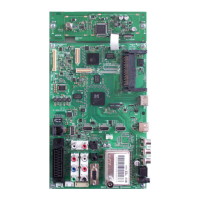
HDMI2 HDMI socket,
audio/video input.
HDMI3 HDMI socket,
audio/video input.
U Headphone jack (3.5 mm
jack plug);
Sockets for audio output.
USB USB socket for external
data media.
HDMI1 HDMI socket,
audio/video input.
CI Common Interface Slot.
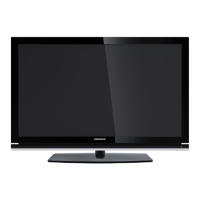
Controls on the television set
8/I Switches the television on and
back into standby mode.
V– V+ Adjusts the volume;
selects menu functions.
MENU Opens the menu.
Select a menu option with
»P+« or »P–«.
Activate the function with
»V+«.
Confirm the function with
»V+« or »V–«..
Press »MENU« to quit the menu.
SOURCE Opens the pre-selection for
AV channels.
In the menu, press »P+« or »P–«
to select and press »SOURCE« to
confirm.
P– P+ Switches the television on from
standby;
selects channels in steps;
selects function in the menu.


 To Next Page
 Loading...