Take a Measurement
How to Take a Measurement
1. Press the START/ STOP button.
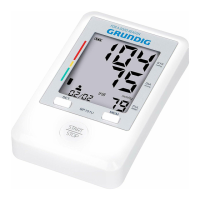
All display symbols appear on the screen, the cuff starts to inflate automatically.
2. Inflation stop automatically and the measurement is started.
The heartbeat symbol flashes once a pulse is detected.
3. The blood pressure and pulse rate are displayed when the measurement completed.
The cuff is deflated automatically, and the measurement results are stored in the memory with date
and time. The IHB symbol will be displayed if irregular heartbeat is detected.
4. Press the “START/ STOP” button to turn off the unit.
The unit will automatically turn off after 2 minutes if you have forgotten to turn off it.
To stop the inflation or measurement, press the “START/ STOP” button in anytime, the unit will stop
inflating and then release and turn off.
871125208143.indd 11 14-03-18 14:53


 To Next Page
 Loading...