Use the Memory Function
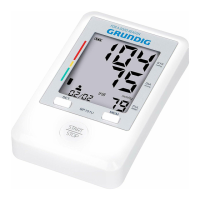
• The unit stores the blood pressure and pulse rate in the memory after completing a measurement
every time. It can automatically store 90 sets of measurement values. The oldest record is deleted
to save the latest measurement value when more than 90 sets.
• The unit also calculates an average reading based on the values of the latest 3 times
measurement taken.
• To Read the Average Value
§ Press the “MEM” Memory button, the average value will display.
• To Display the Measurement Values
§ Press the “MEM” Memory button to view the latest measurement value with the measuring
date and time.
§ Press the “SET” Setting button to view the oldest recorded value with the measuring date and
time.
§ Long press the button and the value quickly changes.
Unit Setting (kPa or mmHg)
Long press the memory button for 3~4 seconds until the units displayed when the unit powered off.
To Delete the Memory Value
In the memory reading mode, press the “SET” Memory button for 4-6 seconds the unit will display “
”
Press the “SET” Memory button again and LCD will display “ ”
If you are sure all the data of corresponding user can be deleted, press the “START/STOP” button, all
the corresponding user’s data will be deleted and the unit will turn off.
Note” If you have set “ ”, but do not press a button for 2 minutes, the product will shut off
automatically, but the corresponding user’s blood pressure data will not be deleted. The delete
operation must be confirmed by user.
The average value of the latest
3 times measurement taken
The 1
Latest
The 2
Latest
Measurement Value
The 90
Latest
Measurement Value
871125208143.indd 12 14-03-18 14:53


 To Next Page
 Loading...