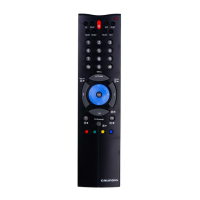
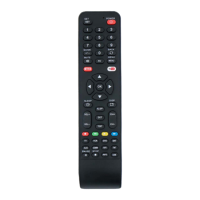
Thank you for purchasing the RC-7-1 universal remote con-
trol.Before you can use your new remote, you will need to pro-
gram it to operate the specic A/V home entertainment equip-
ment you wish to control. Simply enter proper device codes for
your equipment and it is ready to use.
• BATTERY INSTALLATION / CHANGE
1. On the back of the RC-7-1,
pull the battery compartment cover.
2. Insert two (2) AAA new Alkaline
batteries.
3. Match the (+) and (-) poles correctly
aligned into the battery compartment.
4. Close the battery compartment.
NOTE: Removing the batteries for
more than 2 minutes will require you to reprogram your re-
mote.
• SETTING UP BY DIRECT ENTRY
To program your RC-7-1 to operate your TV:
1. Turn on your TV.
2. Press & hold the
key and press the key once. At this
time, the red LED light will light up.
3. Release the
key and key.
4. Enter the 4-Digit TV code from the code list for your brand
equipment. If you perform this procedure correctly, the red
LED light will go out. Otherwise, the red LED ashes 2
times.
5. Aim the RC-7-1 at your TV and press key. Your TV should
turn off. If none of the keys or only some of the keys operate
your TV, repeat Steps 2-4, trying each code listed for your
brand until you nd the one that operates your TV.
6. Your RC-7-1 is now programmed to operate your TV. Write
down your TV code on the label at the back of the RC-7-1
for future reference.
7. To program other equipment, repeat the Steps 1-6 for your
DVD, SAT, AUDIO and or your second TV or DVD.
NOTE: To leave the SETUP during the code entering, just
press any of the [DEVICE] keys once. In other cases, if no
code is entered within 10 seconds, the red LED light will go
out automatically.
• SETTING UP BY AUTO SEARCH
This auto search method checks all its preprogrammed codes
to nd the code that will operate your equipment automatically.
This method may take a few minutes.
1. Turn on your TV and press the device mode as
.
2. Aim the RC-7-1 at your TV.
3. Press & hold the
key and key at the same time for 3
seconds until the red LED lights up. Then release the
key
and
key. AUTO SEARCH is now performed.
Keep
press
A


 To Next Page
 Loading...