16 / 52 EN
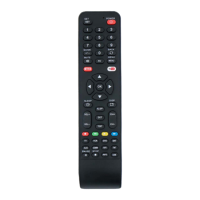
Remote control / User Manual
6.1 Basic operation
A
Warning:
Before operation, please
ensure the unit is plugged in
and power is available.
C
Setting temperature:
The operating temperature range
for units is 16-30°C (60-86°F)/
20-28°C (68-82°F). You can
increase or decrease the
set temperature in 1°C (1°F)
increments.
6.2 AUTO Mode
In AUTO mode, the unit will automatically select
the COOL, FAN, or HEAT operation based on the
set temperature.
1.
Press the MODE button to select AUTO.
2.
Set your desired temperature using the
TEMP or TEMP button.
3.
Press the ON/OFF button to start the unit.
C
Note:
FAN SPEED can’t be set in AUTO
mode.
1
3
2
Mode
SET
Timer
Swing
LED
Turbo
Go
Clean
OK
6 How to use basic functions



 To Next Page
 Loading...