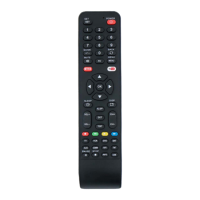
Remote control / User Manual
23 / 52 EN
GEAR operation:
Press the ECO/GEAR button to enter the GEAR operation as following:
75% (up to 75% electrial energy consumption)
50% (up to 50% electrial energy consumption)
Previous setting mode.
Under GEAR operation, the display on the remote controller will alternate between electical energy
consumption and set temperature.
8.5 GoClean function
Airborne bacteria can grow in the moisture that condenses around heat
exchanger in the unit. With regular use, most of this moisture is evaporated from
the unit.
By pressing the GoClean button, your unit will clean itself automatically.
After cleaning, the unit will turn off automatically. Pressing the GoClean button
mid-cycle will cancel the operation and turn off the unit. You can use GoClean as
often as you like.
C
Note: You can only activate this function in COOL or DRY mode.
Press GoClean button
Go
Clean
8.6 Silence function
2s
Keep pressing Fan button for more than 2 seconds to activate/disable Silence
function(some units).
Due to low frequency operation of compressor, it may result in insufficient
cooling and heating capacity. Press ON/OFF, Mode, Sleep, Turbo or GoClean
button while operating will cancel silence function.
8 How to use advanced functions



 To Next Page
 Loading...