22
ENGLISH
OVERVIEW
____________________________________________
Fold out page 2 so that you have the illustrations in front of you.
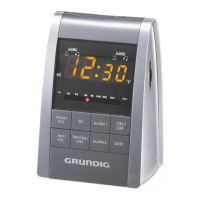
Controls on the top
SNOOZE Interrupts the alarm function; displays the day of the week;
displays the remaining snooze time.
Controls on the front
•
Sensor. Automatically adjusts the brightness of the display
to the brightness of the surroundings.
HOUR/VOL To set the hour;
press briefly: changes the hours forward in steps;
press longer: changes the hours forward continuously.
In radio mode: increases the volume.
MIN/VOL To set the minutes;
press briefly: changes the minutes forward in steps;
press longer: changes the minutes forward continuously.
In radio mode: decreases the volume.
SET Activates the time setting, the day of the week setting and;
displays the alarm times.
TIME ZONE/ Activates the alarm interruption for the weekend;
WEC activates the time zone setting.
ALARM 1 For alarm time 1: selects the alarm with a signal tone or
radio; activates and deactivates the alarm.
ALARM 2 For alarm time 2: selects the alarm with a signal tone or
radio; activates and deactivates the alarm.






 To Next Page