Hexylon High-performance portable meter
20
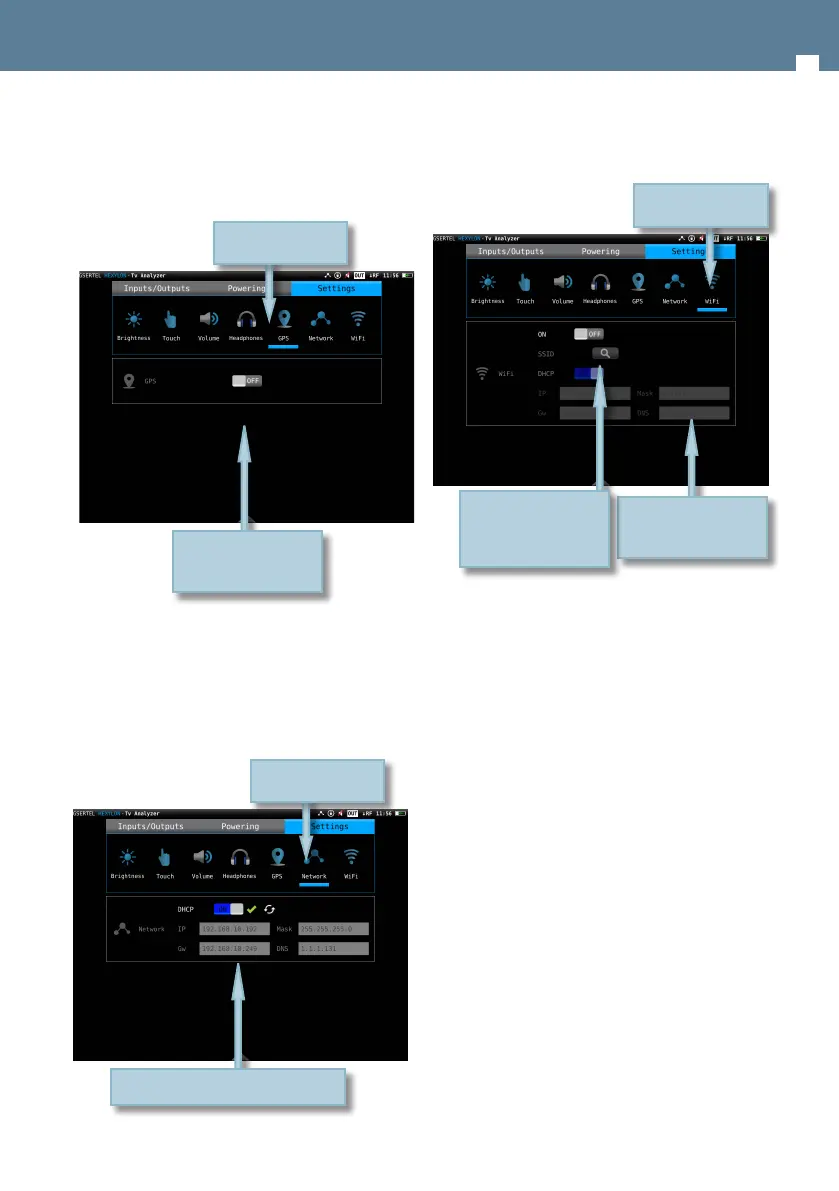
• GPS: Enables/disables the GPS feature. When it is
enabled, the corresponding icon appears on the
top bar of the screen. While the Hexylon does not
receive the satellite signal, the GPS icon will blink.
• Network: Allows to set up the equipment
network connection. If the user selects the DHCP
mode (DHCP ON), the network parameters will be
congured automatically. If the DHCP mode is o,
the user must type all the network parameters (IP,
gateway, Mask and DNS), and the do tap in “Apply”.
Enables/Disables
doing “tap”
Select the parameter
doing “tap”
Select doing “tap”
Select the parameter
doing “tap”
• Wi-Fi: enables/disables the equipment Wi-Fi
connection.
Select the options
doing “tap”
Select the parameter
doing “tap”
When you “tap” on the
magnifying a list with all
the Wi-Fi networks will
be shown


 To Next Page
 Loading...