Hexylon High-performance portable meter
70
6. Quality profiles
Using the web application you can add new quality
proles. The Hexylon has two pre-dened quality
proles (head-end and outlet) that can not be
edited, but they can be duplicated. The duplicated
quality proles are saved in the custom quality
proles, and the custom quality proles can be
edited.
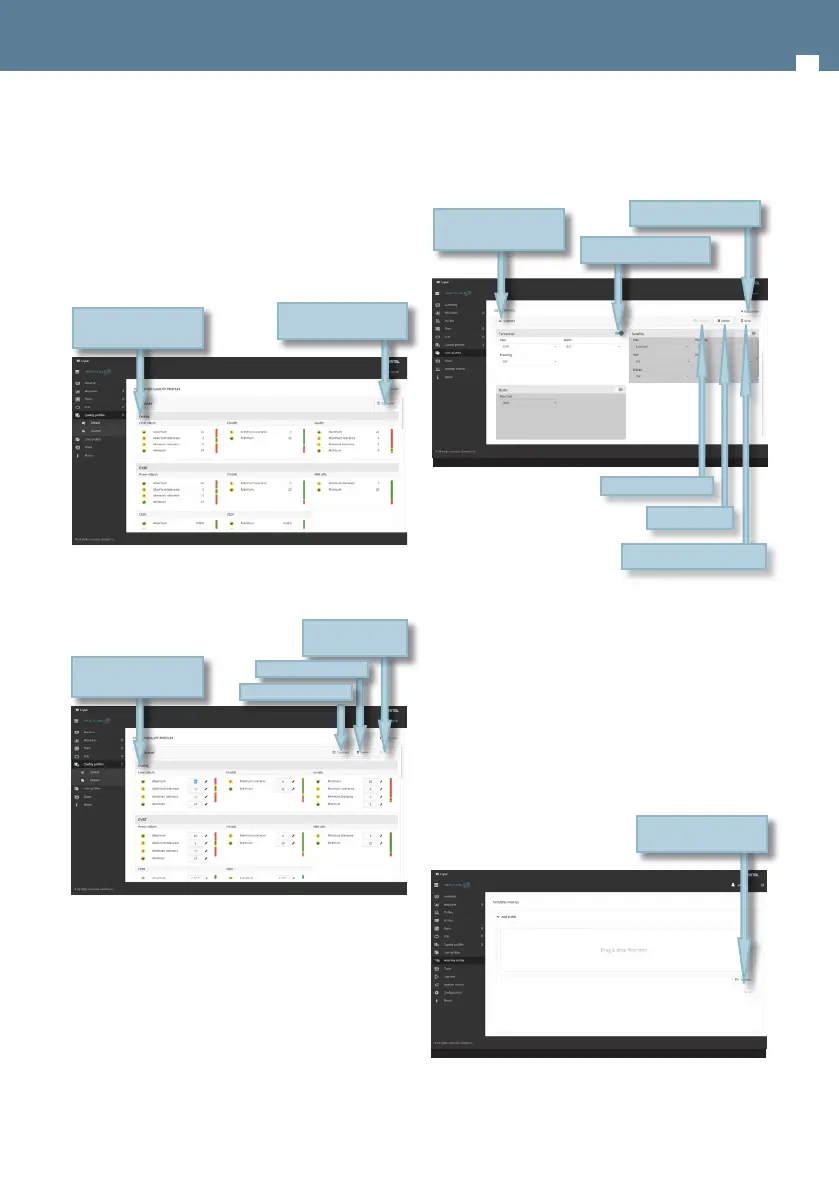
Custom quality proles can be edited:
7. User profiles
Using the web application you can add new
user proles. The Hexylon has one pre-dened
user prole (named Default) that is congured
automatically acording to the geographical area
selected by the user.
For each user prole, the user must select the
Display to see all the
values
Duplicate quality
prole
Display to see all the
values
Save the prole
in the meter
Delete prole
Duplicate prole
band (or bands) that he or she wants to use in that
prole, as well as the channel plan for each band
other appropiate parameters, depending on the
band.
8. Antenna profile
Using the web application you can add new
antenna prole to your Hexylon, to be used in eld
strength measurement. See section Inputs/Outputs
in Top Menu chapter.
The antenna prole will be load from a .csv le with
three columns separated by comma (,): frequency
(in MHz), K factor (in dB) when the antenna is
being powered, K factor (in dB) when the antenna
is not being powered.
Display to see all the
conguration
Add new user prole
Select/unselect band
Save changes in prole
Delete prole
Duplicate prole
Drag and drop or
select .xlsx le


 To Next Page
 Loading...