10
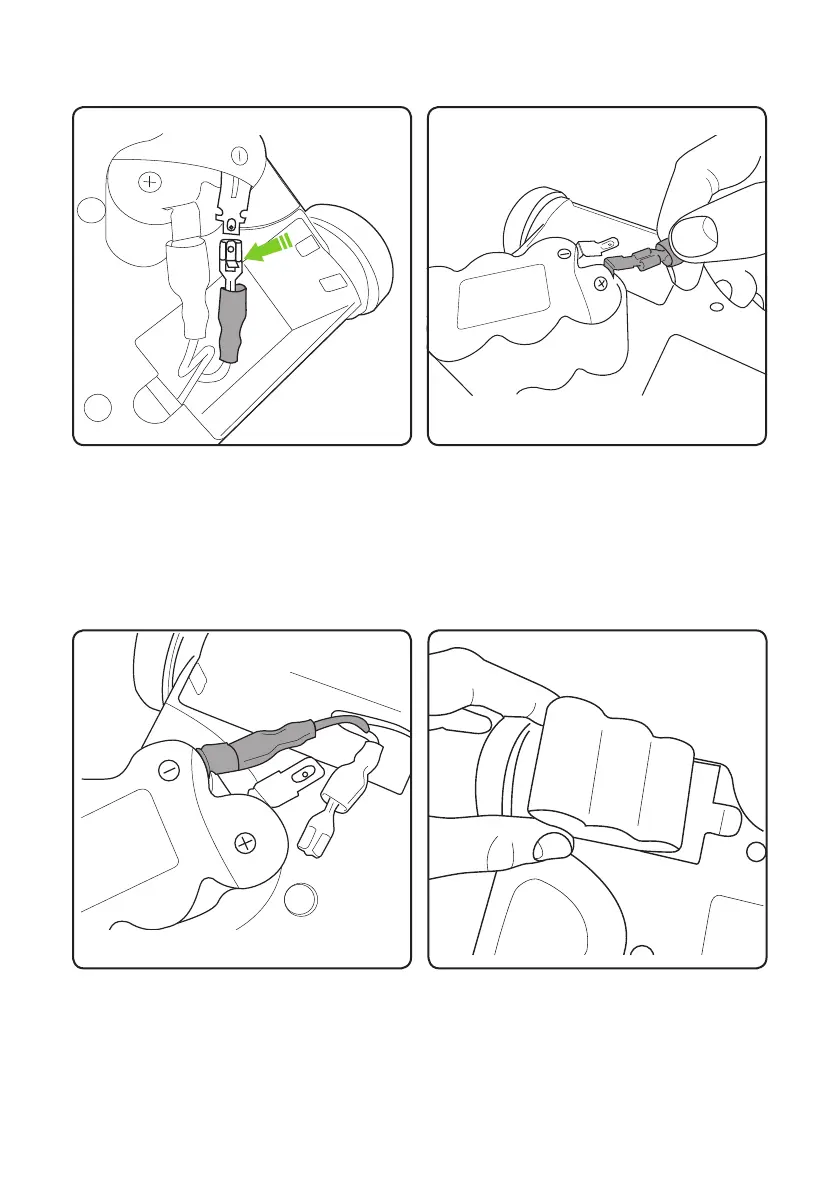
Gently press down xing latch on cable
connector.
Repeat the previous two steps for the
RED wire.
Re-attach the wires to the new battery,
attaching the BLACK wire rst. Fold the
terminals back along the battery.
Put the battery back into the compartment
and replace the cover.


 To Next Page