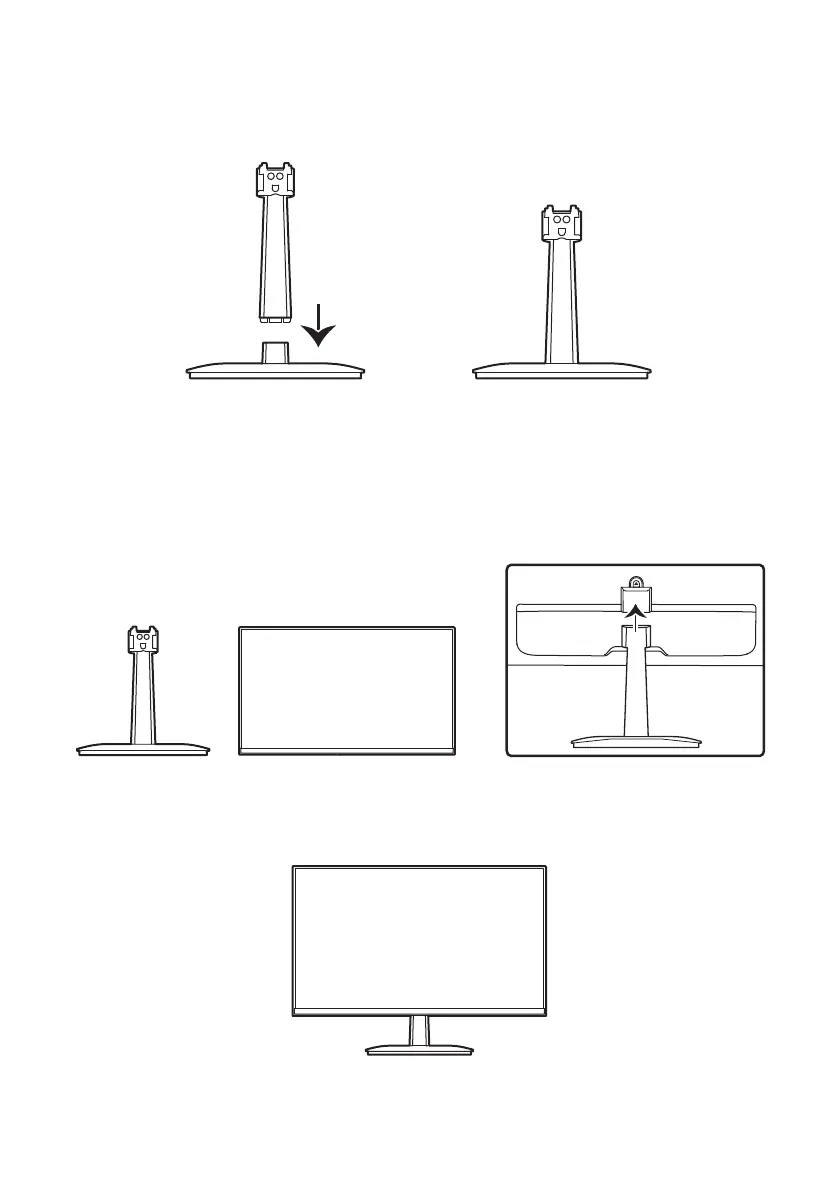
2. Align the bottom of stand neck with the stand base, and hear the sound of "cluck".
3. Lay the LCD monitor screen down, then push the stand in the LCD monitor as shown in
the picture to install it, until hearing the sound of "cluck".
Please be more careful with the installation of the stand :
①The LCD monitor must be placed flat.
②When installing, do not apply excessive force.
4.Once installed, the LCD monitor is ready to be connected.
10


 To Next Page