6
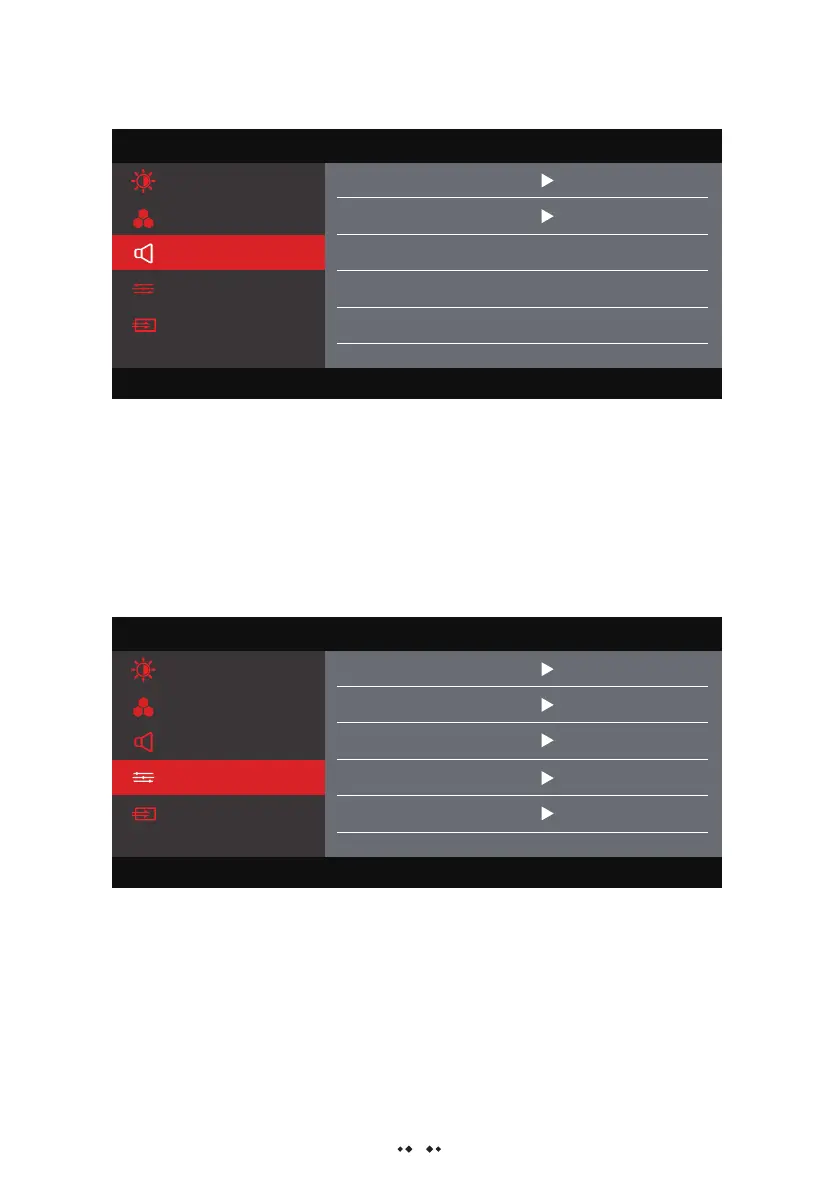
- Mute: Turn on or turn off the volume;
- Volume: Adjust the sound volume, the adjustment range is 0~100;
Sound Menu:
- Image ratio: Adjust the ratio of the display screen;
- FreeSync: Turn on/off the FreeSync mode;
- Language: Select language mode;
- HDR: Turn on or off the HDR function;
- Reset: Restore factory settings;
Other settings:
Menu
Brightness/Contrast
Aspect 16:9
Resolution:1920X1080@240Hz Maximum Resolution:1920X1080@240Hz
Color Settings
Audio Settings
Other Settings
Input Source
FreeSync
Language
HDR
Reset
English
Off
Off
Menu
Brightness/Contrast
Mute
Resolution:1920X1080@240Hz Maximum Resolution:1920X1080@240Hz
Color Settings
Audio Settings
Other Settings
Input Source
Volume
50
Off


 To Next Page