Need help?
Do you have a question about the Guide TD Series and is the answer not in the manual?
Improper battery charging can cause heating, damage, and physical injury.
Handle device with care, avoid extreme environments, and prevent physical damage.
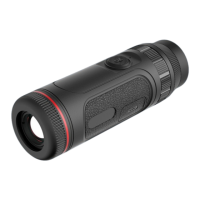
Details key parts like lens cover, USB port, battery cover, and tripod interface.
Guides on using power, brightness, pseudo color, and zoom buttons for device control.
Explains hotspot tracking, Wi-Fi, indicators, scene modes, PIP, and brightness settings.
Provides solutions for power issues, screen blackouts, and other operational problems.
Provides instructions for safe storage and transportation of the thermographic camera.
 General
| Spectral Range | 8-14μm |
|---|---|
| Focal Length | 13mm |
| Image Storage | MicroSD card |
| Battery Type | Li-ion battery |
| Operating Temperature | -10℃~50℃ |
| Storage Temperature | -20°C to 60°C |


 To Next Page