Customer Helpline 0333 3201989
12
Operating Instructions
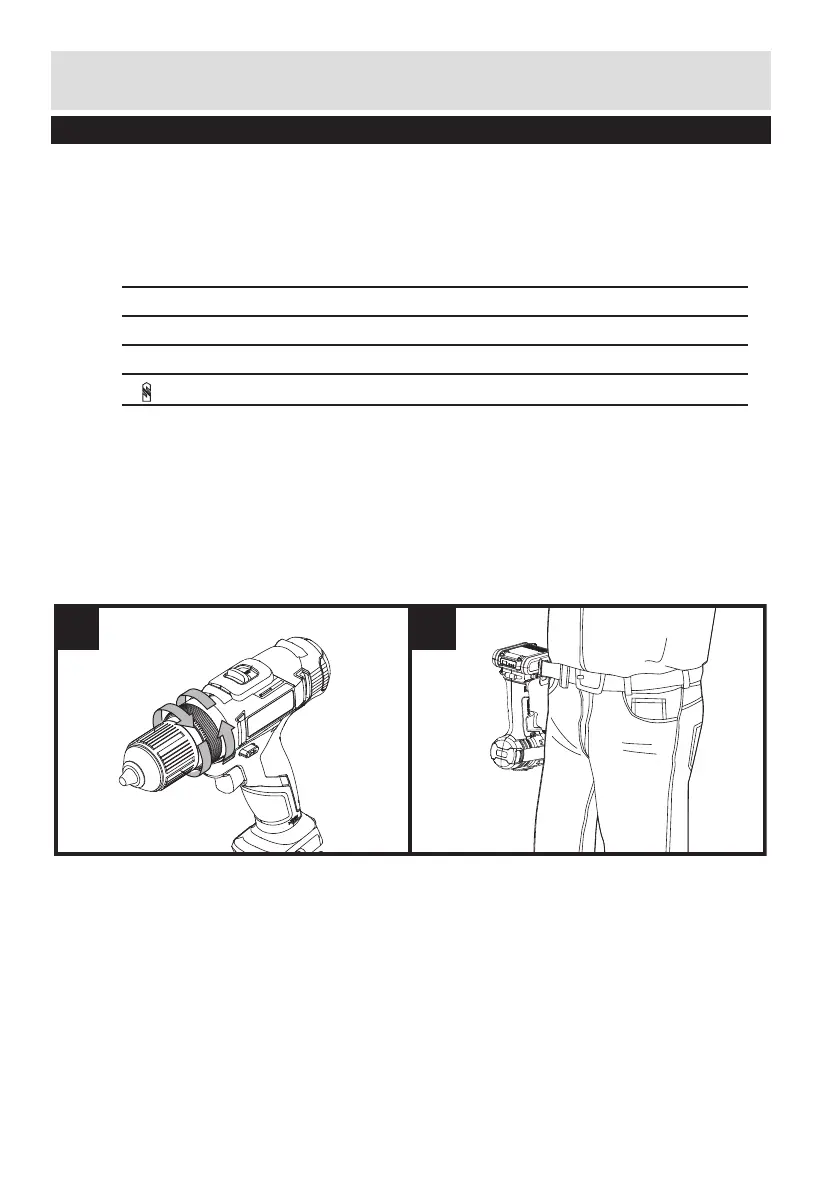
9. TORQUE ADJUSTMENT (SEE FIG E)
(Screw driving force of your drill driver)
The torque is adjusted by rotating the torque adjustment ring. The torque is greater
when the torque adjustment ring is set on a higher setting. The torque is less when
the torque adjustment ring is set on a lower setting.
Make the setting as follows:
1 - 6 for driving small screws
7 - 12 for driving screws into soft material
13 - 18 for driving screws into soft and hard material
for heavy drilling
10. USING THE SIGHT LIGHT
To turn on the light, press the on/off switch and make sure the forward/reverse
rotation control is on right/left position. When you release the on/off switch, the light
will be off.
LED lighting increases visibility - great for dark or enclosed area.
The LED is also a battery capacity indicator. It will flash when the battery power is low.
When LED flashes, remove the battery and recharge.
E F


 To Next Page