
 Need help?
Do you have a question about the Güralp Affinity and is the answer not in the manual?
Document information is proprietary to Güralp Systems Limited; usage restrictions apply.
Explains the meaning of caution and note symbols used in the document.
Information on accessing all manuals and software from the Güralp Systems website.
Describes text formatting conventions used for command-line examples.
Lists various applications for the Güralp Affinity digitiser.
Details the main features and capabilities of the Güralp Affinity.
Overview of how to configure and monitor the Affinity via Ethernet or serial line.
Guide to setting up a network address for the Affinity, including DHCP and static IPs.
Instructions for connecting to the Affinity's serial console.
Steps to view data from the Affinity using Güralp's Scream! software.
Overview of analogue connectors on the Affinity, including SENSOR and AUXILIARY.
Description of the DATA port's functions as a serial port or power input.
Description of the ETHERNET port for network connectivity.
Description of the POWER connector for main power input and switched output.
Description of the USB port for data storage and firmware upgrades.
Description of the GPS port for timing source and serial communication.
Description of the GPIO port for serial console and I/O control.
Introduction to the Affinity's ADC cards and their unique configuration.
Configuring logical instruments, SEED names, station names, and instrument types.
Selecting component letters, channel gain, and sample rates for synchronous channels.
Configuring sample rates and component names for multiplexed channels.
Setting sensor gain and offset for individual channels.
Saving configurations, reverting changes, and managing templates.
Recommended mode for accurate timing using a GPS receiver.
Configuring the timing mode to Direct GPS via the web interface.
Checking GPS receiver status and data acquisition in Direct GPS mode.
Using Precision Time Protocol (PTP) for network time synchronization.
Configuring PTP parameters like delay mechanism and transport layer.
Checking PTP client status, lock status, and timing information.
Overview of hardware lines for power monitoring, tamper detection, and other uses.
Description of the Auxiliary power output on the POWER connector.
Input for monitoring power supply voltage and current.
Input for tamper detection, indicating if the casing has been opened.
Power output for external USB devices.
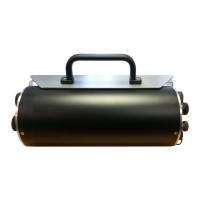
Description of the Affinity Borehole Hanger, a welded steel frame for borehole mounting.
Step-by-step procedure for installing the borehole hanger.
 General
| Brand | Güralp |
|---|---|
| Model | Affinity |
| Category | Measuring Instruments |
| Language | English |

 To Next Page