12
1 Contents
6. Manual Commands
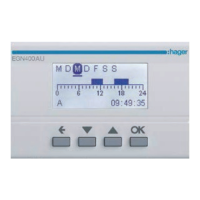
From the screen saver, press one of the 4
keys twice to enable the backlight and then
switch to the home screen. Press the ok key
to view the manual commands screen.
HOME
SCREEN
MANUAL
COMMANDS
SCREEN
SAVER
press a
key twice
All programming and settings are based on
the following principle:
• keys 3/4 are used to navigate between
outputs A, B, C and D (depending on the
version).
• to scroll through the different manual
command options for the selected
output, the ok key is pressed briefly and
repeatedly.



 To Next Page
 Loading...