EasyManua.ls Logo

hager HZI811 - User Manual

hager HZI811
34 pages
Go to English
Print Icon
To Next Page IconTo Next Page
Loading...
A
Z
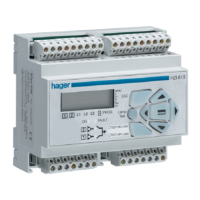
HZI810 / HZI811
Contrôleur
Controller
533044D - 6LE001885AdHager Electro S.A.S., Boulevard d’Europe, B.P. 3, 67215 OBERNAI CEDEX, France - www.hager.com - OCOM 124696
Question and Answer IconNeed help?

Do you have a question about the hager HZI811 and is the answer not in the manual?

Summary

General Presentation

Product Introduction

Overview of the HZI810/HZI811 controller features and components.

Installation

Mounting

Instructions for mounting the device on a DIN rail.

Dimensions

Physical dimensions of the HZI811 controller.

Characteristics

Key product characteristics including IP rating, operation, and consumption.

Connections: Control Circuits - Switching Technology

400 VAC Application with Neutral Conductor Switching

Wiring for 400VAC applications with neutral conductor switching technology.

Connections: Control Circuits - Contactor Technology

400 VAC Application with Neutral Conductor Contactor

Wiring for 400VAC applications with neutral conductor contactor technology.

Connections: Control Circuits - Circuit Breaker Interlocking

400 VAC Application with Circuit Breaker via External Relays

Wiring for 400VAC applications with circuit breaker technology via external relays.

Connections: Control Circuits - Non-Integrated Circuit Breaker

400 VAC Application with Circuit Breaker Not Integrated

Wiring for 400VAC applications with circuit breaker technology not integrated.

Connections: Control Circuits Terminal Details

Control Circuits Terminal Descriptions

Detailed table of terminals and their descriptions for control circuits.

Connections: Electrical Operation

Power Supply Integration

Information on how the product integrates two power supplies for operation.

Operation: Presentation

Product Capabilities Overview

Overview of the product's capabilities and functions.

Operation: Modes

Operational Modes Overview

Description of VISUALISATION, OPERATION, and PROGRAMMING modes.

Operation: Programming Access

Programming Menu Navigation

Guidance on accessing and navigating the programming menu.

Operation: Programming Architecture

Programming Menu Structure

Overview of the programming menu architecture.

Operation: Programming Parameter Modification

Network Voltage Modification Example

Example of modifying network nominal voltage in programming.

Operation: Programming Parameter Characteristics

Programmable Parameter Details

Characteristics of programmable parameters.

Operation: Programming - Volt Menu

Voltage Parameter Settings

Details of the Volt menu for voltage parameter settings.

Operation: Programming - Frequency Menu

Frequency Parameter Settings

Details of the Frequency menu for frequency parameter settings.

Operation: Programming - Timer Menu

Timer Settings Details

Details of the Timer menu for various timer settings.

Operation: Programming - Inputs;Outputs Menu

Inputs and Outputs Functions

Details of the Inputs/Outputs menu and its functions.

Operation: Programming - Input;Output Variables

Input;Output Variable Descriptions

Description of input/output variables and their functions.

Operation: Programming - Load Shedding Example

Load Shedding Function Configuration

Example of Load Shedding (LS) function configuration.

Operation: Test Modes Presentation

Manual and Automatic Test Modes

Presentation of manual and automatic modes for testing.

Operation: Test Functions

Test Off Load and Test On Load

Detailed explanation of Test Off Load and Test On Load functions.

Operation: Visualisation Presentation

Visualisation Mode Overview

Presentation of the visualisation mode for displaying parameters.

Operation: Visualisation Architecture

Visualisation Architecture Mode

Architecture of the visualisation mode for metering and timers.

Operation: Automatic Sequences - Mode Permutation

Manual;Automatic Mode Permutation

Manual and automatic mode permutation for power supply reappearance.

Operation: Automatic Sequences - Description

Automatic Sequence Flow Chart

Description of automatic sequences with a flow chart.

Operation: Automatic Sequences - Return to Priority

Return to Priority Source Sequence

Sequence for returning to the priority source from the emergency source.

Troubleshooting Guide: Product Status

Product OFF and Faulty Status

Troubleshooting common issues like product OFF and faulty status.

Troubleshooting Guide: Load and Transfer Issues

Load Tests and Transfer Problems

Troubleshooting issues related to load tests and transfer problems.

Troubleshooting Guide: Control and Error Messages

Transfer, Control Commands, and Errors

Troubleshooting transfer, control commands, and error messages.

Annexes: Networks Analysis

Types of Electrical Networks

Different types of electrical network configurations supported.

Annexes: Programming and Connections

Network Sensing and Control Parameters

Table detailing network sensing and control parameters.

hager HZI811 Specifications

General IconGeneral
Brandhager
ModelHZI811
CategoryController
LanguageEnglish

Related product manuals