196
TIP:
• All terminal blocks can be unplugged to facilitate wiring.
• The connections to be made are summarised on a label inside the controller cover.
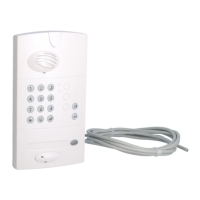
3. Connecting the outdoor caller unit
Connect the 4 outdoor caller unit
wires to terminal blocks
15 to 18 on the controller.
4. Connecting an electrical latch
Connect the latch according to the following cable cross-sections:
- in 3 and 4: 0.75 mm
2
up to 15 m/1.5 mm
2
up to 30 m,
- in 5, 6, 7 and 8: 0.22 mm
2
(telephone type wire).
15/Green: Data –
16/Yellow: Data +
17/Red: power +
18/Black: power –
Electrical latch or lock
control (no need for
external power supply)
The position contact feeds back
the latch status to the screen:
- latch closed (contact closed),
- latch open (contact open).
Push-button located on the garden side
for manual latch control. Place this control
device out of reach and sight in relation
to the road (connection not compulsory).
TIP: if the cable between the outdoor caller unit and the controller has to be extended, keep or shorten
the length of the cable supplied and then connect the wires to a branch box in accordance with the
rules below:
• up to 10 m (including the remaining length of the original cable): use 4 x 0.32 mm² cross-section cable
(AWG22) for the 4 wires
• from 10 to 15 m (including the remaining length of the original cable):
- use 2 x 0.75 mm² cross-section cable (AWG18) for the supply wires (red and black),
- use standard 2 x 0.16 mm² bunched cable (AWG25) with an impedance Z of 124
Ω
for the Data wires
(green and yellow)
• from 15 to 25 m (including the remaining length of the original cable):
- use 2 x 1.5 mm² cross-section cable (AWG15) for the supply wires (red and black),
- use standard 2 x 0.16 mm² bunched cable (AWG25) with an impedance Z of 124
Ω
for the Data wires
(green and yellow).
IMPORTANT: for the information feedback to be
properly managed, the position contact (ref. D8921
on the price list) must be wired before power-up
and be in closed position when the radio link is
established between the handset and the controller.
If no contact is connected, the handset display will
show the latch is closed whatever its status.
IMPORTANT: so that the system
recognises the latch, it must be
wired before the radio link is
created between the handset
and the controller.


 To Next Page
 Loading...