218
9.1.3 Specific cases
• Creating a radio link between a handset and several controllers or several outdoor caller
unit call buttons
A handset can be associated with 4 different inputs. By creating a radio link between the handset
and the controller (see chapter on Installing the doorphone), you have created radio link n° 1
(e.g. handset programmed for the 1st call button and input 1).
) ) ) ) ) ) ) ) ) ) )
) ) ) ) ) ) ) ) ) ) ) ) ) ) ) ) ) ) ) ) )
) ) ) ) ) ) ) ) ) ) ) ) ) ) ) ) ) ) ) ) )
) ) ) ) ) )
) ) ) ) ) ) ) ) ) ) )
To create radio links n° 2, n° 3, n° 4 and n° 5, follow the procedure below:
Radio link n° 2
(2nd call button)
Radio link n° 1
(1st call button)
Radio
link
n° 3
Radio
link
n° 4
Input 1
Input 2 Input 3 Input 4
Radio
link
n° 5
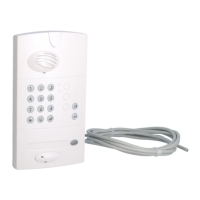
Controller Handset Outdoor caller unit
1. Switch the controller
to radio link creation mode
by pressing .
The radio link creation LED
lights up orange.


 To Next Page
 Loading...