88
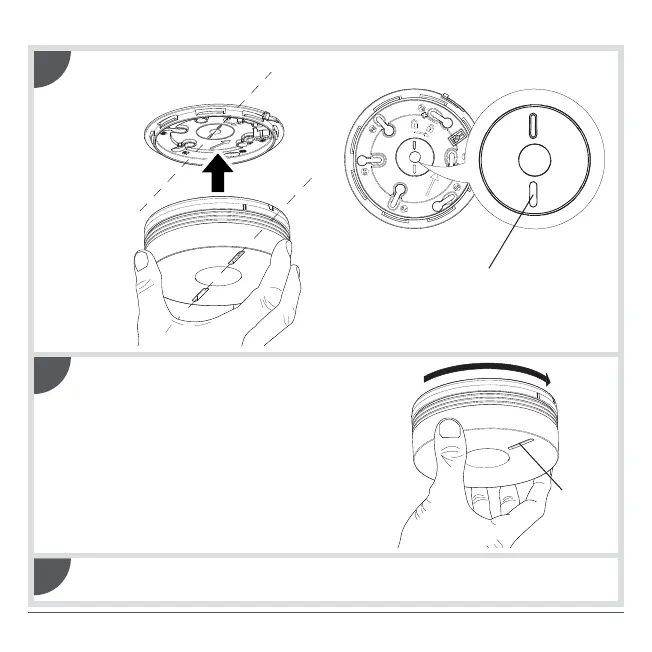
Line the marker up with the LEDs in order to position the detector on its base.
Red LED/yellow LED
3
Turn the detector clockwise until it is
completely locked. The yellow indication LED
flashes for 5 s and then once every 10 s to
indicate the detector is operating normally.
Proceed to chapter 3. Testing the detector.
Yellow
LED
4
5



 To Next Page