90
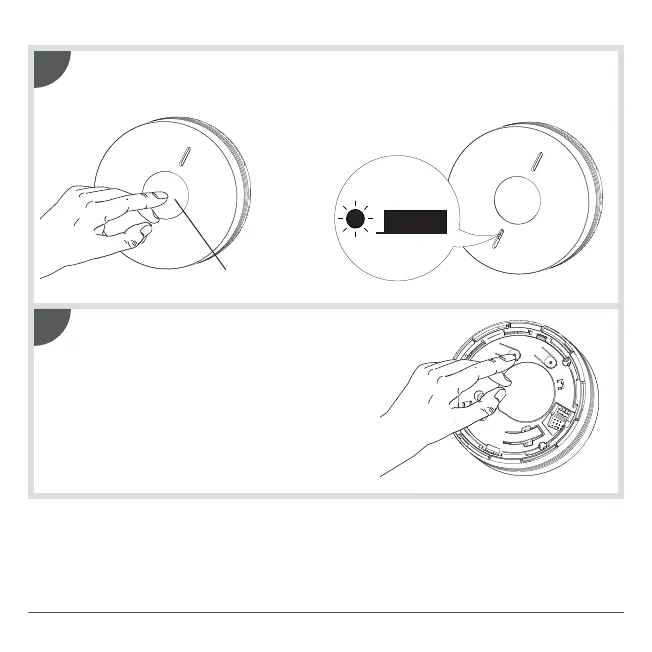
Press the test button on one of the detectors until the red LED on all the
other detectors lights up steadily. Release the button, the red LED of this
detector flashes.
Test button
2
Lightly press on the Cfg1 key on all of the
detectors to exit recognition programming
mode.
Without press on the Cfg1 key the detectors
outside the programming mode after one minute.
In this case, the networking of the detectors is
taken into account.
3
Cfg
1
Cfg
2



 To Next Page