11
Dust Pouch Filter
After sustained periods of heavy use or
if the Dust Pouch has become damaged
then the Dust Pouch filter may need to
be cleaned or replaced.
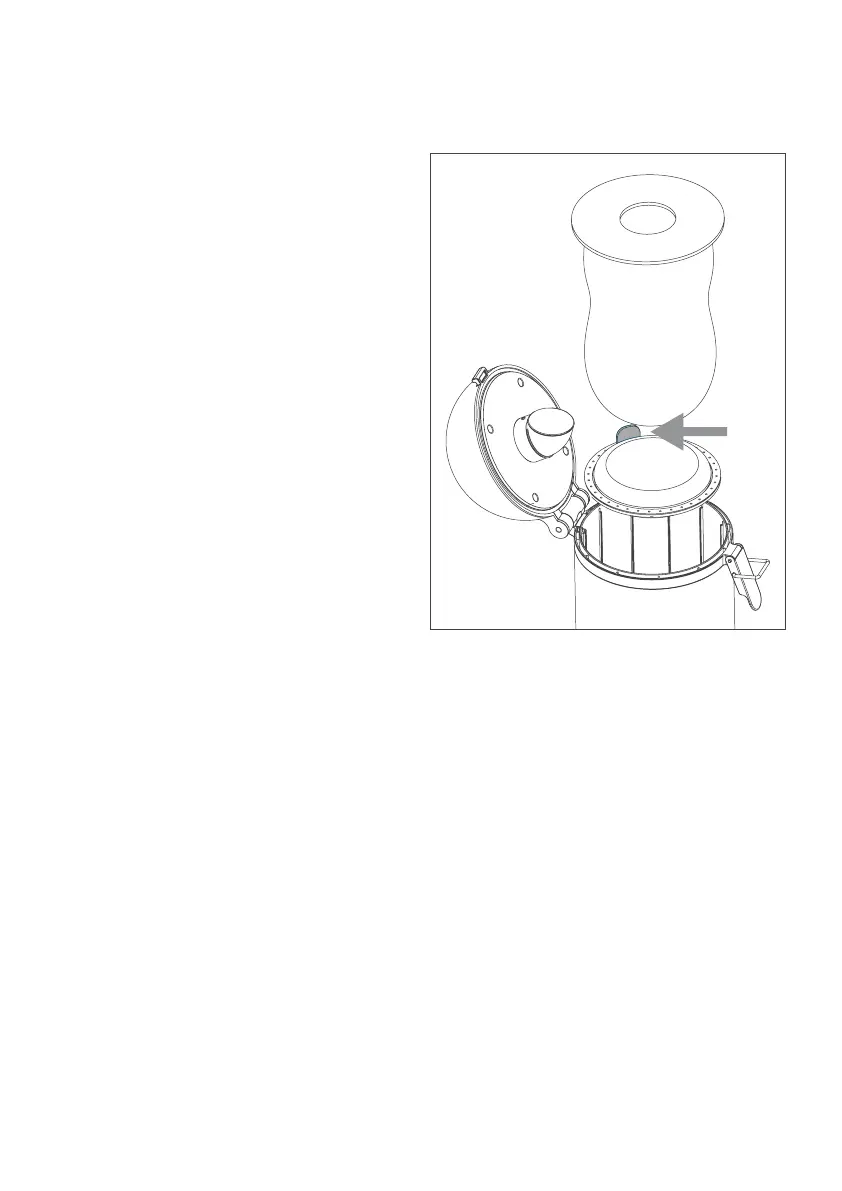
Once the Dust Pouch has been removed
the filter can be pulled out of the pouch
chamber using the tab shown.
The filter can be rinsed thoroughly
under a tap and then dried for 24 hours
before being replaced.
Use of a wet filter will invalidate the
warranty. Never use Capsule without
the filter fitted.
Always ensure tab is positioned outward
when replacing the filter.
If required replacement filters
can be purchased from:
capsuleclean.com/spares


 To Next Page