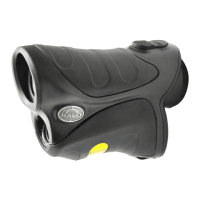
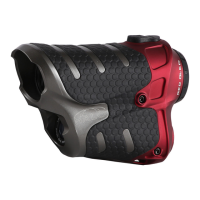
1. Locate the battery
compartment below
the eyepiece or on
the right-hand side
of the unit. Flip the
tab to create a small
handle and turn
counterclockwise,
or press the tension
tab toward the front
of the unit and lift to
remove the lid.
2. Insert the CR2
battery, or two AAA
batteries into the
compartment. The
CR2 battery should
be installed negative
side facing in and
positive side facing
the cap.
5. Locate and press the
power button briefly
to turn the unit on.
6. To focus the unit,
locate the adjustable
eye piece. Turn left
or right until the
image in the range
finder comes into
focus.
Press and release the Start button one time to
start ranging. When the unit is done measuring,
the data will be displayed on the screen.
DISCLAIMER: WGI Innovations, LTD is not responsible for damage, expense or injury caused by the unauthorized
use of, alterations to, improper connection of and abuse or neglect of the WGI Innovations™ products.
WARRANTY: For the warranty to be in effect, register your product at halooptics.com. Follow the on screen
directions to complete the process.
WGI Innovations, LTD will replace all workmanship defects free of charge for ONE (1) YEAR after the date of
purchase as long as your warranty is in effect. This warranty DOES NOT COVER damage, expense or injury
caused by unauthorized repairs, alterations, improper connection, shipping, abuse, theft, accident, neglect
or collateral loss. When returning product(s) for service you MUST obtain a Return Merchandise Authorization
(RMA) number from WGI Innovations, LTD. Please include name, UPS address (no P.O. Box), telephone number,
RMA number and a complete description of the problem on all enclosed correspondence. When possible, pack
product carefully in original carton. Customers are responsible for any shipping cost to WGI Innovations™. WGI
Innovations™ will pay the shipping cost of replacement product to the customer, but is not responsible for
damage incurred in returning items for repair.
For product service send to:
WGI Innovations™
2261 Morganza Hwy
New Roads, LA 70760
(800) 847-8269
CUSTOMER SERVICE
WGI Innovations, LTD. stands behind every product we manufacture for a one-year product workmanship
warranty and a strong commitment to customer service. If you are in need of customer service for missing
parts or need assistance with the operation or assembly of your product, we encourage you to call one of our
customer service representatives and let us assist you.
DISCLAIMER
WGI Innovations, LTD reserves the right to make changes to product features, functionality and physical design
at its sole discretion. As a result, such changes may not be reflected in this version of the manual.
Product Name: Laser Rangefinder
Trade Name: Wildgame Innovations
This device complies with Part 15 of the FCC Rules. Operation is subject to the following two criteria: (1) This
device may not cause harmful interference, and (2) This device must accept any interference received,
including interference that may cause undesired operation.
Warning: Changes or modifications to this unit not expressly approved by the party responsible for compliance
could void the user’s authority to operate the equipment.
NOTE: This equipment has been tested and found to comply with the limits for a Class B digital device,
pursuant to Part 15 of the FCC Rules. These limits are designed to provide reasonable protection against
harmful interference in a residential installation. This equipment generates, uses and can radiate radio
frequency energy and, if not installed and used in accordance with the instructions, may cause harmful
interference to radio communications.
However, there is no guarantee that interference will not occur in a particular installation. If this equipment
does cause harmful interference to radio or television reception, which can be determined by turning the
equipment off and on, the user is encouraged to try to correct the interference by one or more of the following
measures:
• Reorient or relocate the receiving antenna.
• Increase the separation between the equipment and receiver.
• Connect the equipment into an outlet on a circuit different from that to which the receiver is connected.
• Consult the dealer or an experienced radio/TV technician for help.
This device complies with Industry Canada license-exempt RSS standard(s). Operation is subject to the
following two conditions: (1) this device may not cause interference, and (2) this device must accept any
interference, including interference that may cause undesired operation of the device.
Caution – use of controls or adjustments or performance of procedures other than those specified herein may
result in hazardous radiation exposure.
Class 3R Laser Product
This product complies with IEC 60825-1:2014-05 Ed.2.0 & with 21CFR 1040.10 & 1040.11 except for deviations
pursuant to Laser Notice No. 50, dated June 24, 2007. Max. Output: 0.1 µJ.104HZ. 905.0nm.
OWNER’S MANUAL
LASER RANGEFINDER
GETTING STARTED
CHANGING MODES
WARRANTY
FCC
REGULATORY DISCLOSURES
Pressing the “Mode” button
will toggle between the
following modes:
1. LOS (Line of Sight)
Distance in Yards
2. AI™ Distance in Yards
3. LOS Distance in
Meters
4. AI™ Distance in
Meters
Note: If target is out of range
or a measurement was not
obtained the unit will display
“- - - -” on the screen.
Note: Unit will automatically power off after 6 seconds
of button inactivity.
Note: Not all Halo
rangefinders are equipped
with Angle Intelligence™
Technology. Verify your
model’s capabilities for
relevance of this section.
602 Fountain Parkway
Grand Prairie, TX 75050
(800) 847-8269
halooptics.com
“Halo” is a trademark of WGI Innovations, LTD.
Mode
Button
T
U
R
N
Power
Button
LOS Distance in Yards
When in this mode, the Line of Sight distance in
yards is the only information displayed on the
screen.
LOS Distance in Yards mode gives an accurate normal distance to
target.
XLR2000 Reticle
XLR2000 Reticle
XLR2000 Reticle
XLR2000 Reticle
XLR2000 Reticle
XLR2000 Reticle
Standard Reticle
Standard Reticle
Standard Reticle
Standard Reticle
Standard Reticle
Standard Reticle
LOS Distance in Meters
When in this mode, the Line of Sight in meters is
displayed on the screen.
Normal Distance in Meters mode gives an accurate normal distance
to target.
Line of Sight Distance is 200 Yards
Line of Sight Distance is 274 Meters
Line of Sight Distance is 200 Yards
Line of Sight Distance is 274 Meters
AI™ Distance in Yards
When in this mode, the True Distance in yards
and vertical angle are displayed on the screen.
AI Distance in Yards mode compensates for the angle of incline or
decline in terrain to give an accurate distance to target.
Without AI™
Technol
ogy = 366
yards
With AI™
Technol
ogy = 300
yards
-35
Without AI™
Technol
ogy = 366
yards
With AI™
Technol
ogy = 300
yards
-35
RANGING
LCD display shown with Distance in Yards Mode on.
The battery indicator is always shown. The
battery level can be constantly monitored.
To clean the lenses use the cleaning cloth
provided with the laser rangefinder. Use a
circular motion when cleaning the lenses with
the cleaning cloth.
If you use anything other than the cleaning cloth,
make sure that is soft and not coarse, as this
may scratch the lenses.
You may also use isopropyl alcohol to clean the
lens, but always apply it to a soft cloth first and
never directly on the lens itself.
LOW BATTERY
CLEANING
Laser
Aperture
Laser
Aperture
Laser
Aperture
SLIDE
3. Put the lid back in
the compartment
and turn clockwise
or angle in and
press down the lid
to close the battery
compartment.
4. To install the
lanyard, locate
the hole on the
bottom or rear of
the rangefinder.
Insert one end of the
lanyard through the
hole. Push the longer
end through the
small loop and pull
taut to secure.
AI™ Distance in Meters
When in this mode, the True Distance in meters
and vertical angle are displayed on the screen.
AI Distance in Meters mode compensates for the angle of incline or
decline in terrain to give an accurate distance to target.
Without AI™
Technol
ogy = 335 m
e
ters
With AI™
Technol
ogy = 274 m
e
ters
-35
Without AI™
Technol
ogy = 335 m
e
ters
With AI™
Technol
ogy = 274 m
e
ters
-35
LOS
200.0
Y
LOS
200.0
Y
200.0
YD
200.0
YD
LOS
274.0
M
275.0
m
LOS
----
Y----
YD
300.0
YD
-35 -35
300.0
Y
-35
274.0
M
-35
274.0
m

 Need help?
 General

 To Next Page