3
3.1 Mounting the clamp
•Turn the adjusting screw clockwise until the clamp sits securely on the handlebars without slipping.
(A)
3.2 Inserting and removing a smartphone
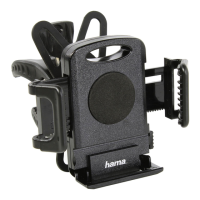
•Press the release button of the smartphone holder to open the holding jaws (B).
•Insert your terminal device and x in place by pressing the holding jaws together (C).
•Hang the stretchy silicone net over all four corners of the smartphone to secure your terminal
device (D).
4. Warranty Disclaimer
Hama GmbH & Co. KG assumes no liability and provides no warranty for damage resulting from
improper installation/mounting, improper use of the product or from failure to observe the operating
instructions and/or safety notes.
5. Service and Support
Please contact Hama Product Consulting if you have any questions about this product.
Hotline: +49 9091 502-115 (German/English)
Further support information can be found here:
www.hama.com


 To Next Page