2
G Operating instruction
Thank you for choosing aHama product.
Take your time and read the following instructions and information
completely.Please keep these instructions in asafe place for
futurereference. If you sell the device, please pass these operating
instructions on to the new owner.
1. Explanation of Warning Symbols and Notes
Warning
This symbol is used to indicate safety instructions or to draw your
attention to specic hazards and risks.
Note
This symbol is used to indicate additional information or important
notes.
2. Package Contents
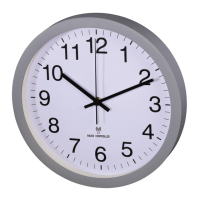
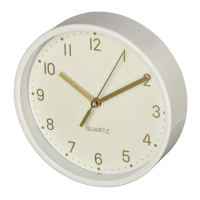
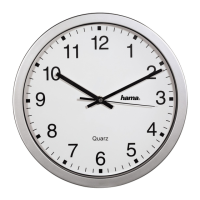
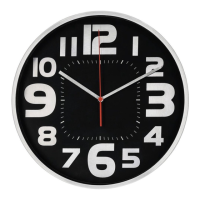
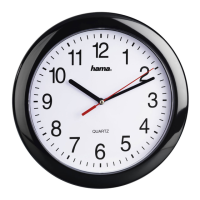
• Quartz Wall Clock
• 1(AA) battery
• These operating instructions
3. Safety Notes
• Protect the product from dirt, moistureand overheating, and only
use it in adry environment.
• Do not use the product in areas wherethe use of electronic devices
is not permitted.
• Do not drop the product and do not expose it to any major shocks.
• Do not modify the product in any way.Doing so voids the warranty.
• Keep the packaging material out of the reach of children due to the
risk of suffocation.
• Dispose of packaging material immediately according to locally
applicable regulations.
Warning –Batteries
• Immediately remove and dispose of dead batteries from the
product.
• Only use batteries (or rechargeable batteries) that match the
specied type.
• When inserting batteries, note the correct polarity (+ and -
markings) and insert the batteries accordingly.Failuretodoso
could result in the batteries leaking or exploding.
• Do not overcharge batteries.
• Keep batteries out of the reach of children.
• Do not short circuit the batteries/rechargeable batteries and keep
them away from uncoated metal objects.
4. Getting Started
4.1 Inserting the battery
Remove the battery that was already inserted into the clock, remove
the protective lm if necessary as well as the contact interrupter and
the re-insert the battery with the correct polarity.The clock is ready for
operation.
4.2 Replacing the battery
Remove and dispose of any used batteries. Insert the new battery (AA).
Ensurethat the polarity of the battery corresponds to the symbols in
the battery compartment.
5. Installation
Youcan mount the wall clock on awall using the opening on the back.
Warning –Mounting Note
• Beforemounting the clock, ensurethat the chosen wall is suitable
for the weight to be mounted, and make surethat thereare no
electrical wires, water,gas or other lines at the installation site
on the wall.
• Purchase special fastening materials from specialised dealers.
6. Operation
• Once the battery has been inserted properly,the clock will
automatically start running.
• Use the setting wheel on the back of the clock to set the time.
7. Care and Maintenance
Only clean this product with aslightly damp, lint-free cloth and do not
use aggressive cleaning agents. Make surethat water does not get into
the product.
8. Warranty Disclaimer
Hama GmbH &CoKGassumes no liability and provides no warranty for
damage resulting from improper installation/mounting, improper use of
the product or from failuretoobserve the operating instructions and/
or safety notes.
9. Service and Support
Please contact Hama Product Consulting if you have any questions
about this product.
Hotline: +49 9091 502-115 (German/English)
Further support information can be found here:
www.hama.com
10. Technical Data
Quartz Wall Clock
Power supply
1.5 V
1xAAbattery (alkaline)
11. Recycling Information
Note on environmental protection:
After the implementation of the European Directive 2012/19/
EU and 2006/66/EU in the national legal system, the
following applies: Electric and electronic devices as well as
batteries must not be disposed of with household waste.
Consumers areobliged by law to return electrical and electronic devices
as well as batteries at the end of their service lives to the public
collecting points set up for this purpose or point of sale. Details to this
aredened by the national law of the respective country.This symbol
on the product, the instruction manual or the package indicates that a
product is subject to these regulations. By recycling, reusing the
materials or other forms of utilising old devices/Batteries, you are
making an important contribution to protecting our environment.


 To Next Page
 Loading...