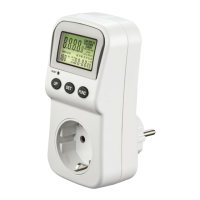
3
5. Starting up/entering the electricity price
(euro/kWh)
Note
•If the energy cost meter cannot be started, then
press the reset button (4) for a few seconds.
•The rechargeable battery is charged during operation.
•The internal rechargeable battery will discharge if
the timer switch is not used for longer periods of
time. Plug the energy cost meter into a mains plug
for approx. 24 hours every 3 months to charge the
internal rechargeable battery.
•Press and hold the cost button (3) for approx.
3 seconds in order to enter your current energy price
per kilowatt-hour. The display ashes Cost/KWh.
•Use the Function button (2) to select the digit you
would like to enter.
•Set the desired value using the Up (5) and Down (6)
buttons.
•Press the cost button (3) to save the entered value and
leave input mode.
6. Measurement
Note
•Precise measurement results even for small appliances.
•The voltage and power draw of the connected
devices may not exceed 230 V and 3680 W.
•Note the information specied on the nameplate(s)
of the connected device(s).
•If you connect an electrical appliance that draws more
than 3680 W, then the display shows OVERLOAD.
•It is advisable to measure the power consumption
of a device for an extended period of time and then
calculate its annual consumption.
•Plug the energy cost meter into a conventional mains
socket.
•Plug the electrical device to be measured or its mains
plug into the socket on the energy cost meter. The
consumption measurement commences automatically.
•Press the Function button (2) to change the display
mode (see section 7).
•Unplug the electrical device from the energy cost
meter or the energy cost meter from the mains socket
to end the measurement.
7. Display indicators
•You can change which information is shown in the
display by pressing the Function button (2).
•Pressing the Cost button (3) takes you directly to a
display of the currently congured electricity tariff.
(7. Display)
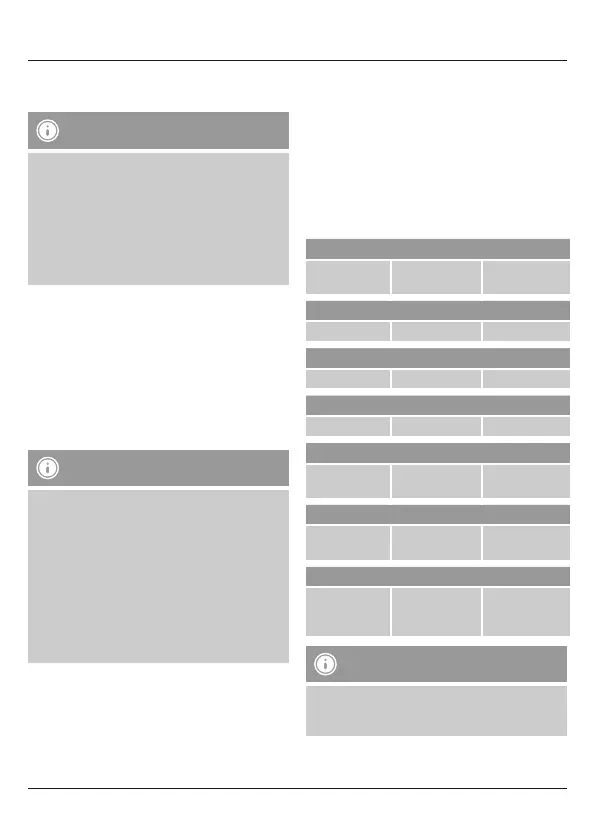
The following display modes are available:
1. Display
Measured time
Consumption „W“
Energy costs
„COST“
2. Display
Measured time Power „KWh“ „DAY“
3. Display
Measured time Voltage „V“ Frequency „Hz“
4. Display
Measured time
Amperage „A“
“Power Factor”
5. Display
Measured time
Minimum con-
sumption „W“
Lo
6. Display
Measured time
Maximum con-
sumption „W“
Hi
7. Display
Measured time
Price per
kilowatt hour
„COST/KWh“
Note
After a period of 24 hours, the time in the second
display reverts to 00:00 and starts over. At the same
time, the day indicator increases by one.


 To Next Page
 Loading...