6
How to Use the Dehydrator (cont.)
8
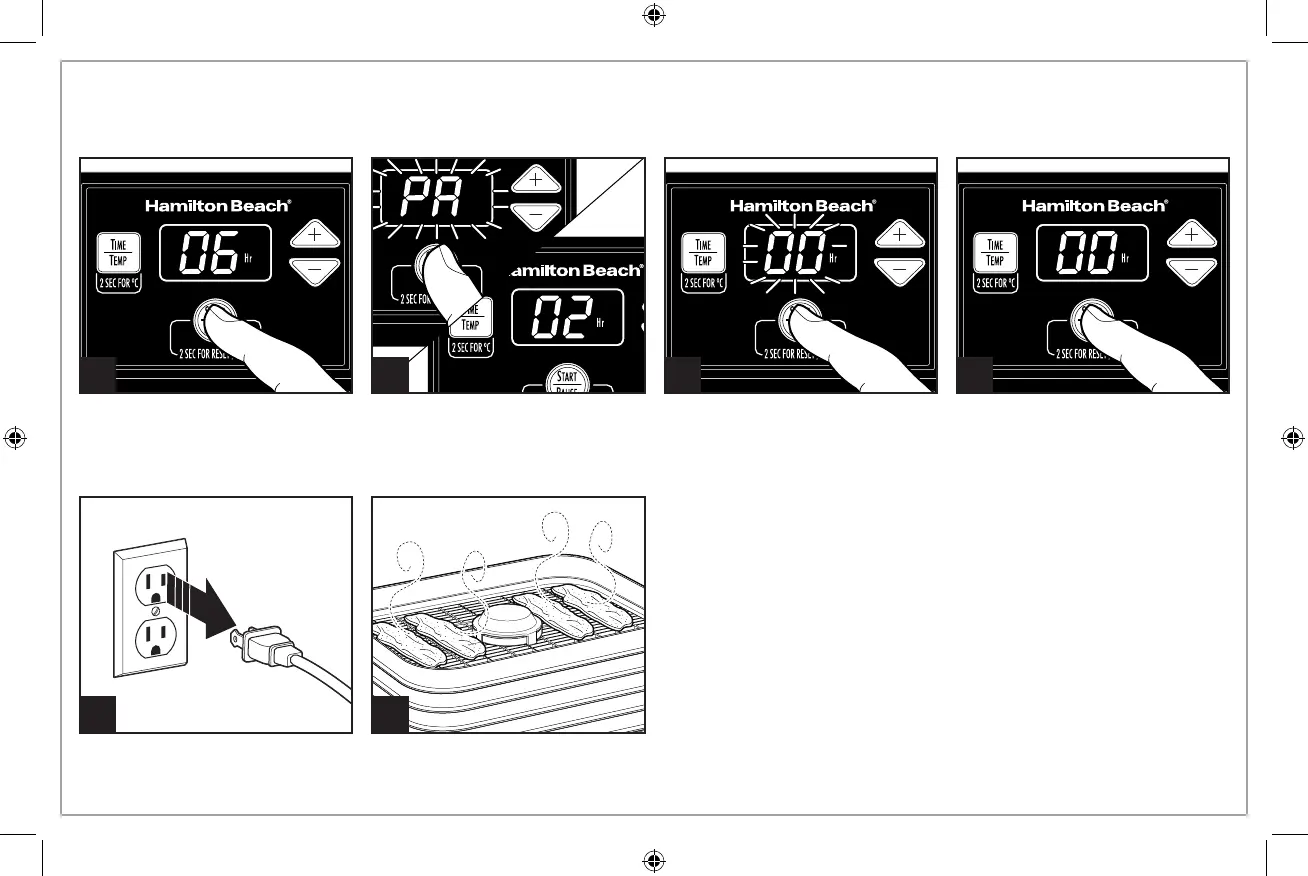
To STOP “00” flashing: Press and
hold the
button again
for an additional 2 seconds. “00”
will still appear in display and
not flash. If drying is complete,
unplug the unit.
10
9
If drying is complete before programmed time has ended, PAUSE or STOP unit
and then unplug. Let food cool completely on trays or wire rack before storing.
5
Press the
button to start
drying. The display will alternate
from showing TIME and TEMP
over the drying period.
6 7
To RESET: Press and hold the
button for 2 seconds; “00”
will flash in display. To continue
drying, press
button to
set a new time and temperature.
To PAUSE to Check Food: Press
the
button and unit
will pause. Display will flash “PA.”
Press the
button again
to resume drying.



 To Next Page