6
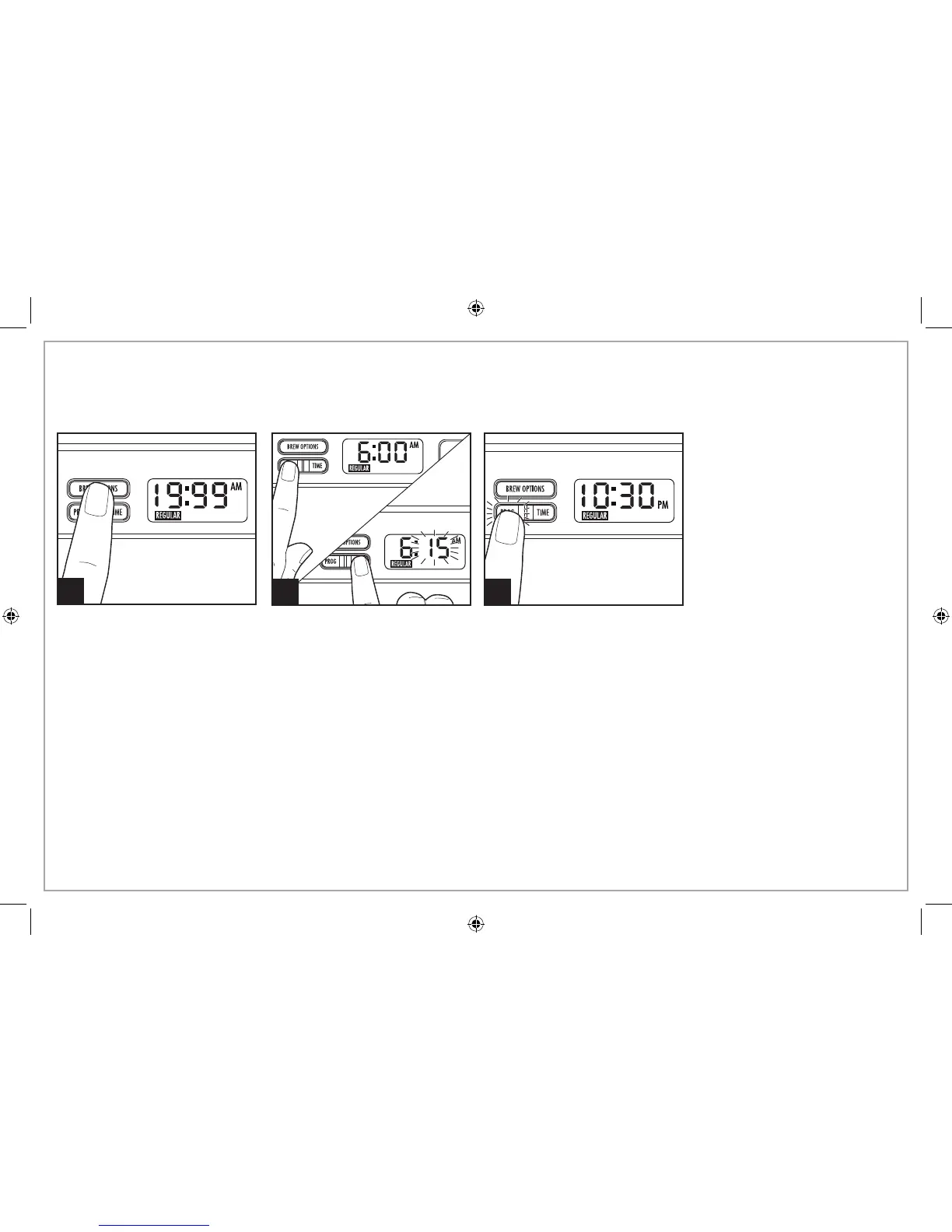
To Program Automatic Brew
1
Choose a brew option. Then, hold PROG button. Next, press and pulse
TIME
button to set desired brewing hour in AM or PM. Wait 3 seconds;
minutes will flash. Then press and pulse
TIME
button to increase to set
minutes. Set time will display constant. Release PROG and current time
is displayed.
2 3
NOTE: White LED will illuminate to indicate PROGRAM is activated. White LED light will turn off when the
unit begins to brew at the preprogrammed time.
Tips for Best-Tasting Coffee
• All coffees are made from either arabica beans or robusta beans,
or some combination of both. Arabica beans are slightly more
expensive, but tend to produce better-tasting coffee.
• Ground coffee will become stale much faster than whole beans.
If buying preground coffee, chose a package with the latest
expiration date or a smaller quantity.
• If grinding whole beans, set your coffee grinder on a fine/
medium grind. This will yield the best-tasting grounds. Try to use
freshly ground coffee within about a week of grinding.
• Using a water filter, filtered water, or bottled water will yield
better-tasting coffee than tap water.
• Use approximately 1 tablespoon of grounds for each cup of
coffee being made. To avoid overflow, use about 1/3 less
grounds when brewing decaf or flavored coffees.
• Make sure your coffee maker is clean. See “Care and Cleaning”
section.
Press and release PROG again to
activate automatic brew. PROG
light will illuminate.






 To Next Page