5
Parts and Features (cont.)
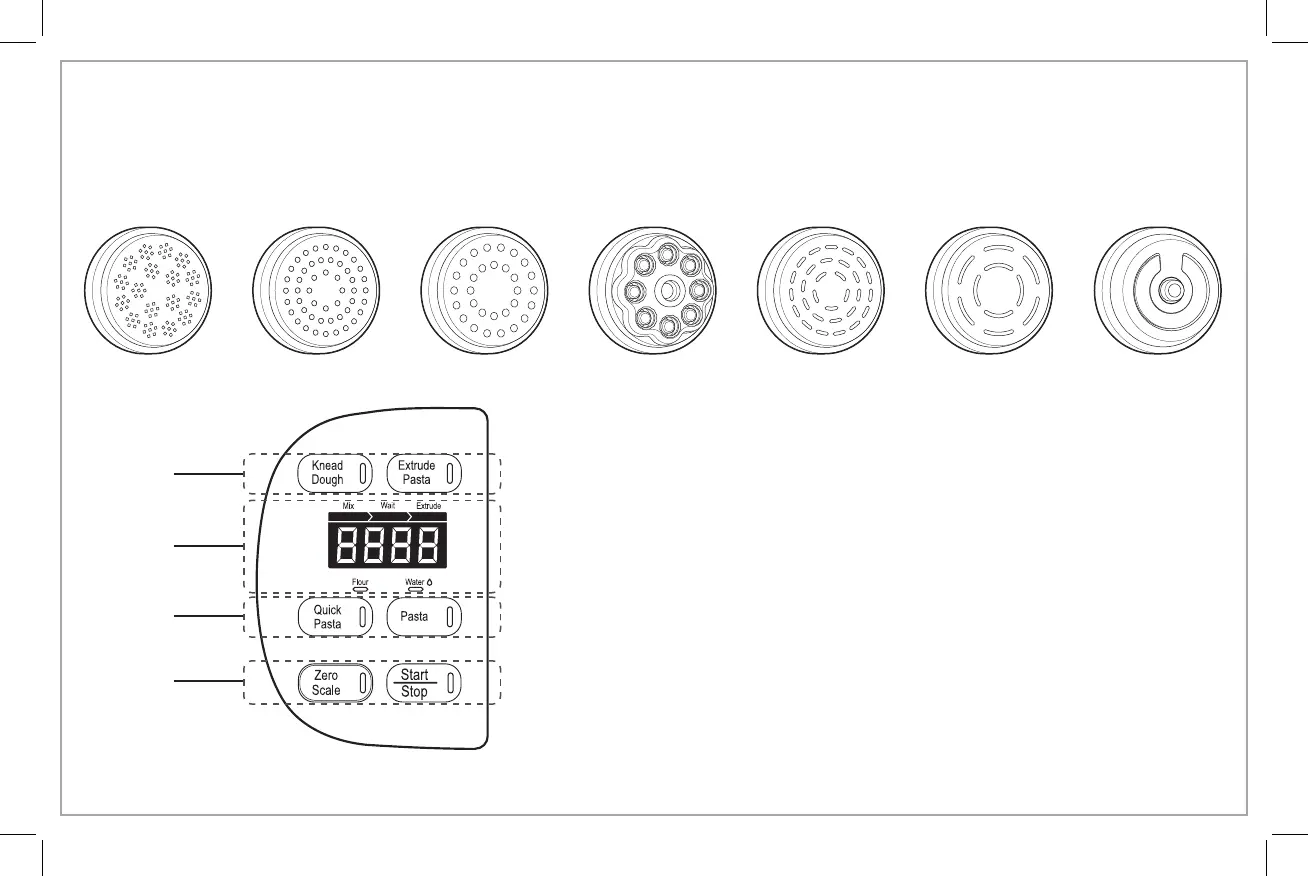
Shaping Discs
Control Panel
Angel Hair
Manual
Modes
Status
Indicators
Preset
Programs
Command
Buttons
Spaghetti Thick Spaghetti
Penne
(2-Piece Disc)
Fettuccine Wide Noodle
Lasagna
(2-Piece Disc)
Manual Modes
• Knead Dough – Use to mix ingredients.
• Extrude Pasta – Use to extrude noodles through Shaping Disc.
Status Indicators
• Progress Bar – The progress bar will illuminate according to the stage.
• Digital Display – Displays weight of dry ingredients, amount of liquid to be added,
and kneading time remaining.
• Flour (g), Water (ml) – The light below the word will illuminate to indicate which
ingredient’s measurement is being displayed.
Preset Programs
• Quick Pasta – Automatically mixes/kneads the ingredients before extruding, then
stops when program is complete. Program takes 15–18 minutes.
• Pasta – Automatically mixes/kneads the ingredients and provides a rest period
before extruding, then stops when program is complete. Program takes 20–30
minutes.
Command Buttons
• Zero Scale – Tares (zeros) the integrated scale used to weigh the flour or other dry
ingredients. NOTE: Scale measures in grams only.
• Start/Stop – Press to start or stop the Pasta Maker.
840303500 EN v06.indd 5 6/29/18 5:31 PM



 To Next Page