14 © HAMILTON 2010 – INSTRUCTION MANUAL © HAMILTON 2010 – INSTRUCTION MANUAL 15
3. Operating instructions 3. Operating instructions
Caliber
Setting the time
. Pull out the crown C completely to position (p): the seconds hand stops.
. Set the time by turning the crown in the desired direction.
. Push the crown back in completely to position (p): the seconds hand starts again, allowing perfect synchro-
nization with a time signal.
Setting the date and the -hour hand
. Pull out the crown C to position (p).
. Turn the crown clockwise to set the date and counterclockwise to set the -hour hand.
. Push the crown back in completely to position (p).
Note: Rapid date correction is not possible between p.m. and a.m.
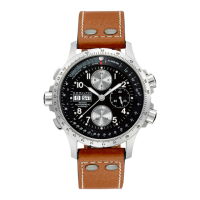
Using the chronograph / Start-Stop function
Timing a single event:
. Press button A: the chronograph starts.
. Press button A: the chronograph stops.
. Press button B to reset to zero.
Note: Before you start timing, the hands should be reset to zero. If necessary, press button B.
Cumulative time function
This measures successive times. Each result is added to the previous one.
. Press button A: the chronograph starts.
. Press button A again: the chronograph stops.
Repeat these two steps as many times as desired. At the end of the last measurement, the chronograph displays
the total of all the times measured. Press button B to reset to zero.
. Automatic GMT watch
Caliber - • -
Setting the time
. Pull out the crown C completely to position (p): the seconds hand stops.
. Set the time by turning the crown in the desired direction.
. Push the crown back in completely to position (p): the seconds hand starts again, allowing perfect synchro-
nization with a time signal.
Setting the date and the universal-hour indicator disc or the -hour hand (according to model)
. Pull out the crown C to position (p).
. Turn the crown counterclockwise to set the date and clockwise to set the universal-hour indicator disk or the
-hour hand.
. Push the crown back in completely.
Note: Rapid date correction is not possible between p.m. and a.m.
Caliber -
Setting the time
. Pull out the crown C completely to position (p): the seconds hand stops.
. Set the time by turning the crown in the desired direction.
. Push the crown back in completely to position (p): the seconds hand starts again, allowing perfect synchro-
nization with a time signal.
Setting the universal-hour indicator
. Pull out the crown C to position (p).
. Set the universal-hour indicator disk by turning the crown in the desired direction.
. Push the crown back in completely.


 To Next Page
 Loading...