ENGLISH
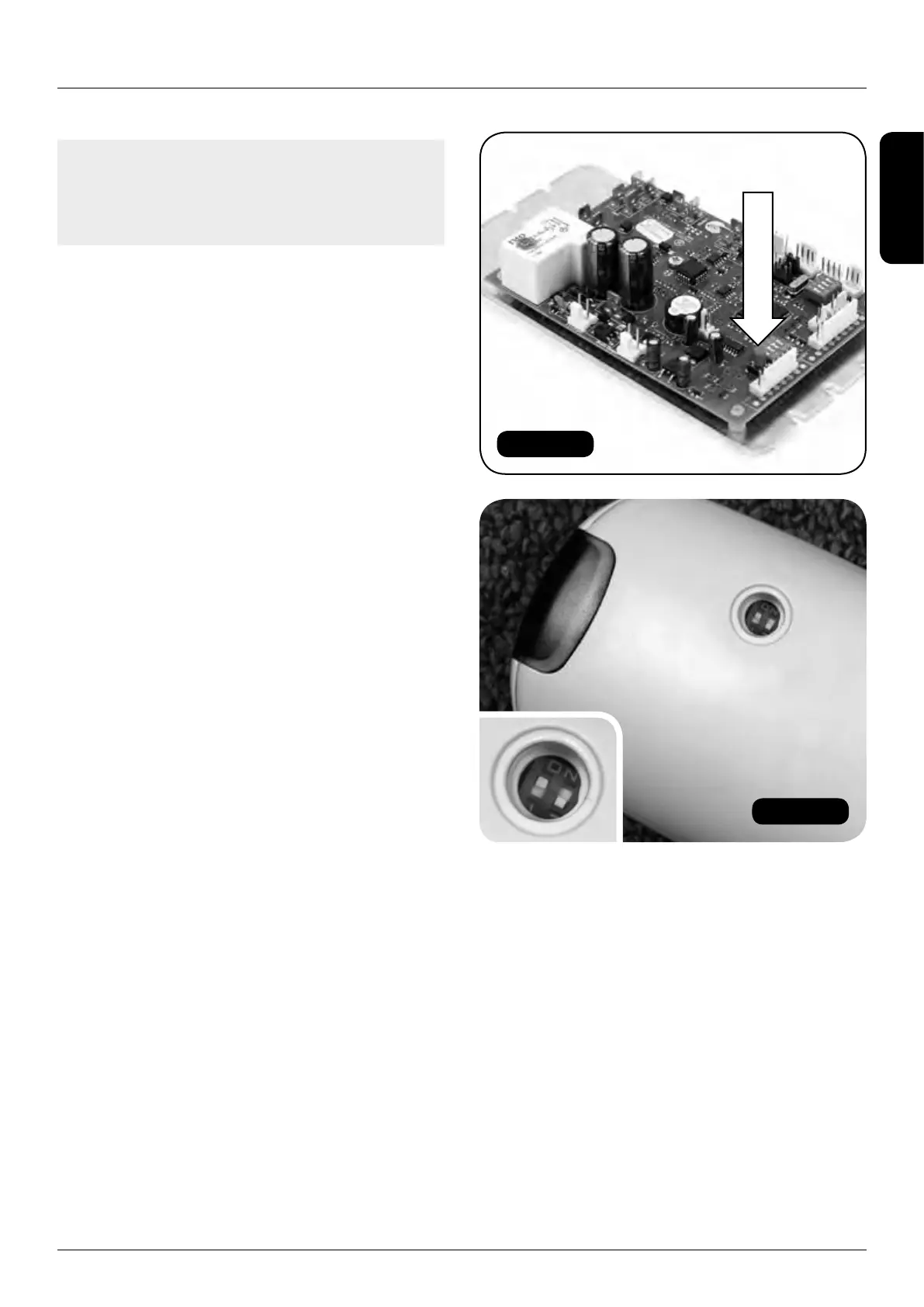
Figure 112
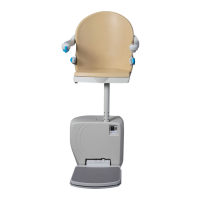
Figure 113
HANDICARE 2000 SIMPLICITY / STYLE INSTALLATION MANUAL 35
Remote control handsets
Note: If the red button on the control board is
depressed for more than 10 seconds then the
handset will not be programmed. You must
repeat the programming again.
b For multiple lift applications:
i Remove the red dipswitch protection
cap with a small screwdriver
(Figure 109).
ii Set the dipswitches on the PCB on both
handsets to the same settings – note
that the next pair of handsets will require
the dipswitches to be set to a different
combination (Figure 113).
iii Press and hold the red button on the
PCB (Figure 112) – a yellow LED will
illuminate on the PCB.
iv Press any button on one handset and
the yellow light will go out.
v Programming is complete.
3 Test that the handsets have programmed
correctly by pressing the up and down button
on each and check that the lift moves in the
corresponding direction.
4 Finally fit the power unit front cover.


 To Next Page