E6000 Portable Multi-Gas Detector Henan Hanwei Electronics Co., Ltd.
7
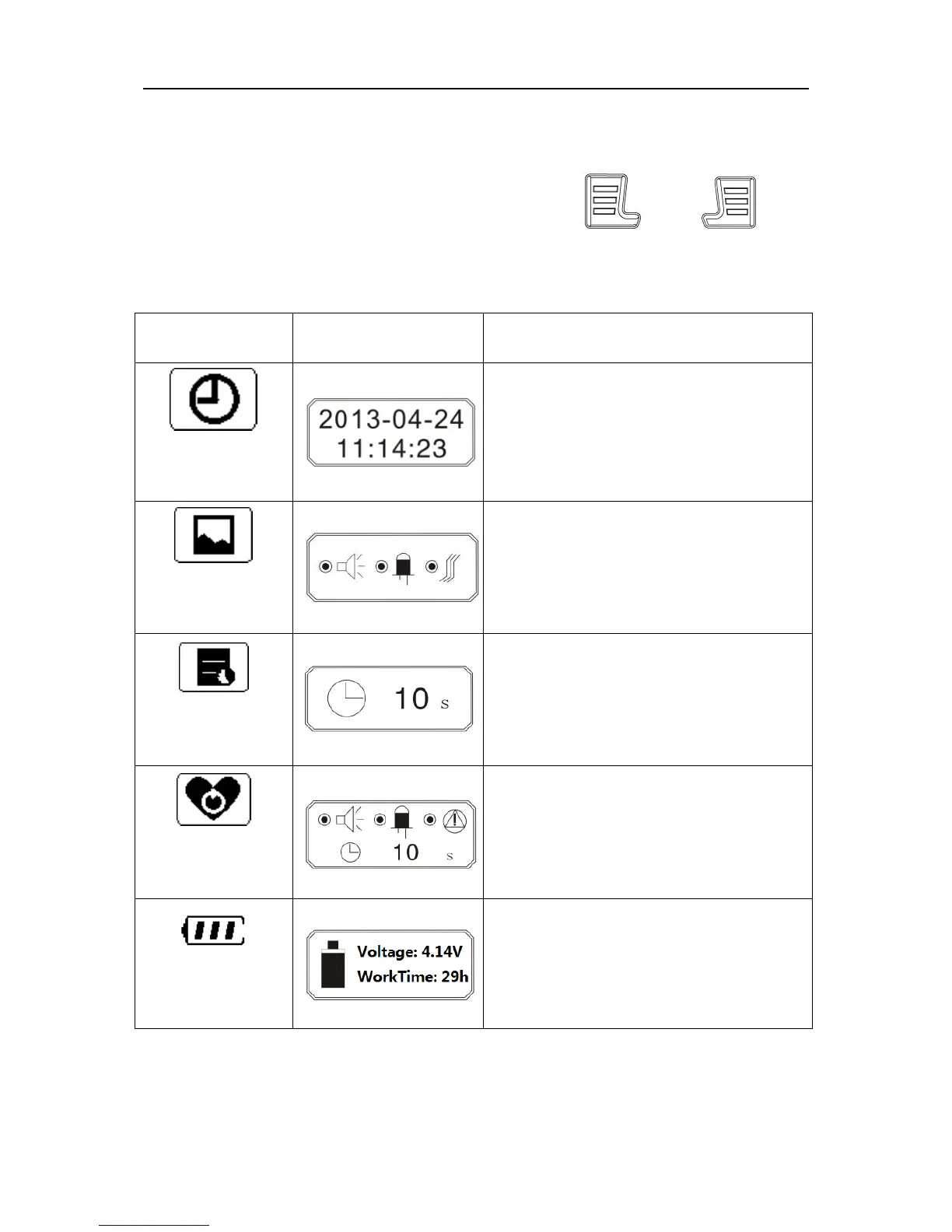
5.4 Menu explanation
5.4.1 Common menu
In the normal detection interface, press both and
simultaneously and the device enters into common menu setting
interface. Below is the button function:
When changing the date or
time, the selected bit will blink.
When changing the mode, the
selected bit will blink.
Set time gap for record saving.
Black box means this item is
selected.
Display battery voltage and
remaining work time


 To Next Page
 Loading...