Need help?
Do you have a question about the Hanwha TNB-9000 and is the answer not in the manual?
This document serves as a quick guide for the Wisenet TNB-9000 Network Camera, providing essential information for its installation, setup, and basic operation. It covers component identification, installation procedures, password setting, and connectivity to Wi-Fi, along with important environmental and disposal guidelines.
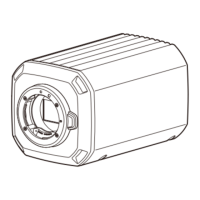
The Wisenet TNB-9000 is a network camera designed for surveillance and monitoring applications. Its primary function is to capture video footage and transmit it over a network, allowing users to view and manage the camera remotely. The camera supports various connectivity options, including network cables and Wi-Fi, making it versatile for different installation environments. It is equipped with features that facilitate easy installation and configuration, even for users with limited technical expertise. The camera's design allows for integration with a housing unit, which may be purchased separately, to provide additional protection and adaptability to various outdoor or harsh environments. The device also includes a reset function, which is crucial for restoring the camera to its factory default settings in case of forgotten passwords or configuration issues.
The Wisenet TNB-9000 offers several usage features that enhance its functionality and user experience. The installation process is guided by clear visual instructions, starting with the attachment of the lens to the camera body. This involves carefully inserting and rotating the lens until it is securely fastened, ensuring proper focus and image clarity. The camera's rear panel provides access to various ports and controls, including a reset button, HDMI, USB, audio input/output, network port, DC 12V power input, and SFP port. These connections enable a wide range of functionalities, such as connecting external displays, audio devices, and network infrastructure.
A key usage feature is the ability to insert an SD card, which is not included with the camera, for local storage of video footage. This allows the camera to operate independently of a network video recorder (NVR) for recording purposes, providing a convenient backup or primary storage solution. The SD card slot is easily accessible, facilitating quick insertion and removal.
The camera's network connectivity is a core feature, supporting both wired and wireless (Wi-Fi) connections. For Wi-Fi connectivity, users need to connect an OTG adapter (5-pin) and a Wi-Fi dongle to the micro USB terminal. This enables the camera to join a wireless network, offering flexibility in placement where running Ethernet cables might be impractical.
Remote access and control are facilitated through a dedicated smartphone application, the Wisenet Installation app. After installing the app and connecting the camera to Wi-Fi, users can log in to view live video feeds and adjust the camera's angle of view directly from their smartphone. This feature is particularly useful for fine-tuning the camera's coverage during installation or for making adjustments on the fly. The initial connection allows for video viewing without immediate login, streamlining the setup process.
The camera also supports various alarm inputs and outputs, as well as RS-485 for PTZ (Pan-Tilt-Zoom) control, enhancing its integration into more complex surveillance systems. The presence of HDMI and USB ports further expands its utility, allowing for direct connection to monitors or other peripherals.
Maintenance of the Wisenet TNB-9000 is designed to be straightforward, focusing on ease of access and troubleshooting. A critical maintenance feature is the readily available reset button. In situations where the login password is forgotten or the camera encounters configuration issues, pressing the [RESET] button allows users to initialize the product to its factory default settings. This is a vital tool for recovery and ensures that the camera can always be reconfigured, even if access credentials are lost. However, users are advised to keep a record of their passwords to avoid frequent resets.
The manual emphasizes the importance of proper password management for security. When setting a new password, specific guidelines are provided regarding length and character complexity (uppercase/lowercase letters, numbers, and special characters). This proactive approach to security helps prevent unauthorized access and reduces the need for password-related maintenance. The manual also cautions against using easily guessable or repetitive character sequences.
For environmental maintenance and responsible disposal, the document includes clear guidelines. The "eco RoHS compliant" mark indicates that the product adheres to environmental standards, minimizing hazardous substances. Instructions for the correct disposal of the product (Waste Electrical & Electronic Equipment) and batteries are provided, encouraging users to recycle these items responsibly. This ensures that the camera and its components do not contribute to environmental pollution at the end of their lifecycle. Users are directed to contact local authorities or retailers for proper recycling procedures, highlighting a commitment to sustainable practices.
The modular design, particularly the separate lens and optional housing, simplifies maintenance. If the lens needs cleaning or replacement, it can be easily detached. Similarly, if the camera is installed in an optional housing, the housing provides protection from environmental elements, reducing the frequency of internal component maintenance. The ability to connect to a PC via the "DEVICE MANAGER" and access a "User Manual" in PDF format further aids in troubleshooting and understanding advanced maintenance procedures.
 General
| Model | TNB-9000 |
|---|---|
| Max Aperture | F1.4 |
| Video Compression | H.265, H.264, MJPEG |
| Resolution | 4K (3840 x 2160) |
| Lens Type | Varifocal |
| Day/Night | Yes (ICR) |
| Network Interface | RJ45 (10/100/1000 BASE-T) |

 To Next Page