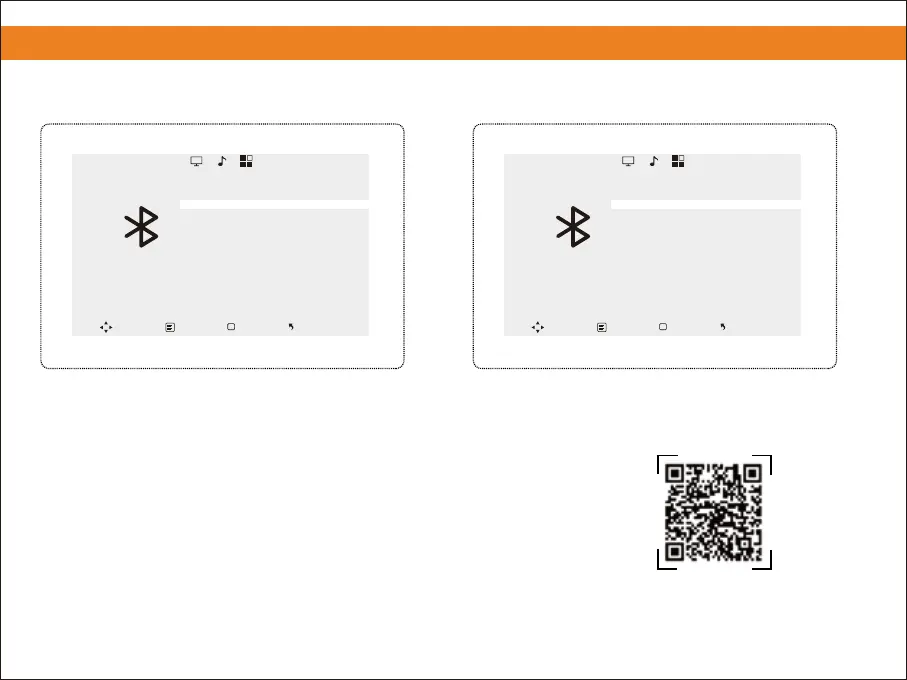
⑧ Bluetooth is connected.
Note: The projector can only connect to INPUT devices via Bluetooth connection. Therefore, it cannot connect to
mobile phones via Bluetooth to mirror your screen.
Please scan the QR code to watch
the video for detailed steps.
8. Bluetooth Settings
13
⑦ Choose the name of your device to pair.
⑧⑦
Bluetooth
Connecting...
Bluetooth device1
Bluetooth
Move
MENU
OK
Enter
Exit
Bluetooth
Connected
Bluetooth device*1
Bluetooth
Move
MENU
OK
Enter
Exit


 To Next Page