Sleep Mask – user's guide
Content
Introduction..........................................................................................................................................2
Requirements........................................................................................................................................2
Package content....................................................................................................................................2
Advice and warnings............................................................................................................................2
First start...............................................................................................................................................2
Special functions..................................................................................................................................3
Lucid dreaming................................................................................................................................3
Anti-snoring effects.........................................................................................................................3
Sunrise alarm...................................................................................................................................3
Introduction
Congratulations on purchasing Sleep Mask – the ultimate device which allows you to use up the
potential of Sleep as Android application. This guide will help you set up and operate the device.
Requirements
• Android that supoorts USB OTG
• Android 3.2 and higher.
Package content
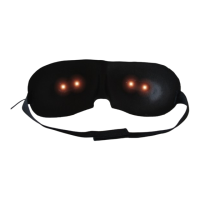
• Glasses with USB and microusb adapter
• 2 year guarantee
• 30-Day Money-Back Guarantee
• User's Manual
Advice and warnings
• To ensure proper functioning, keep the device clean.
• Be careful when cleaning the device, don't let moisture get to the diodes. You alone are
responsible, if you destroy the device cleaning it.
• Protect the device from fire, water and extreme temperatures.
• The mask is not made of any health damaging materials.
• The device was carefully tested, it cannot hurt you while sleeping.
• The package of the Sleep Mask is recyclable and must be handled in accordance with local
laws.
• All unrecyclable parts of the Sleep Mask must be handled in accordance with local laws.
• Keep the device out of the reach of children.
• Don't keep the devices connected, if you're not using it.
First start
• Run the Sleep as Android application.
• Connect the small black box to the black connector via USB.
• The red connector can be plugged into adapter, so the mask doesn't consume your
smartphone's battery.
• Connect the cable to the micro USB port of your Android device. A diode lights on.
2/4


 To Next Page
 Loading...