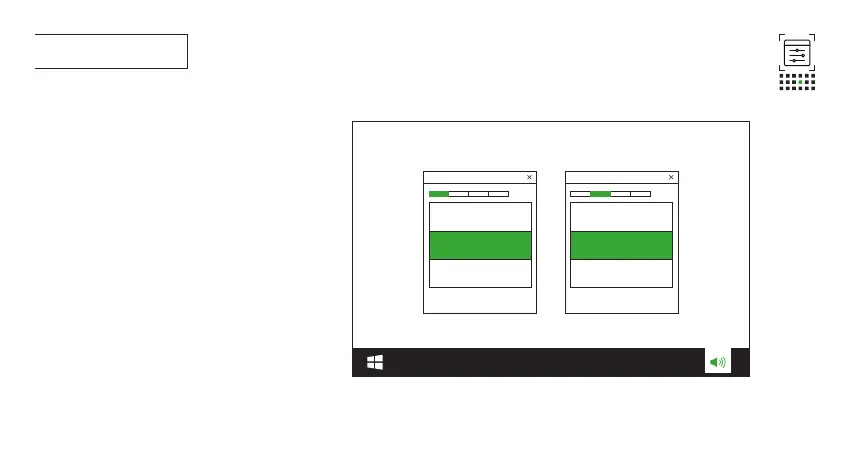
010 First time setup
10a Connect the headset to your PC via 2.4GHz USB wireless
connection.
10b Go to “Sound Settings” -> “Sound Control Panel”.
10c* Under “Playback” highlight “JBL Quantum 910X Wireless For
Xbox Game” and select “Set Default” -> “Default Device”.
10d Highlight “JBL Quantum 910X Wireless For Xbox Chat” and
select “Set Default” -> “Default Communication Device”.
10e Under “Recording” highlight “JBL Quantum 910X Wireless For
Xbox Chat” and select “Set Default” -> “Default Device”.
10f In your chat application select “JBL Quantum 910X Wireless
For Xbox Chat” as the default audio device.
10G Follow the onscreen instructions to personalize your
sound settings.
* If you have not installed JBL QuantumEngine, ensure to
complete this step before enabling JBL QuantumSPATIAL 360.
JBL Quantum 910X Wireless
For Xbox Game
JBL Quantum 910X Wireless
For Xbox
Chat







 To Next Page