11” x 8.5” folded to 5.5” x 8.5” 4C2S
CHOOSE YOUR
CHALLENGE
Expert:
Line up 4 discs in either the
top or bottom half of the
grid. Discs cannot connect
through the centre axis.
Beginner:
Line up 4 discs anywhere
in the grid. Discs can
connect through the
centre axis.
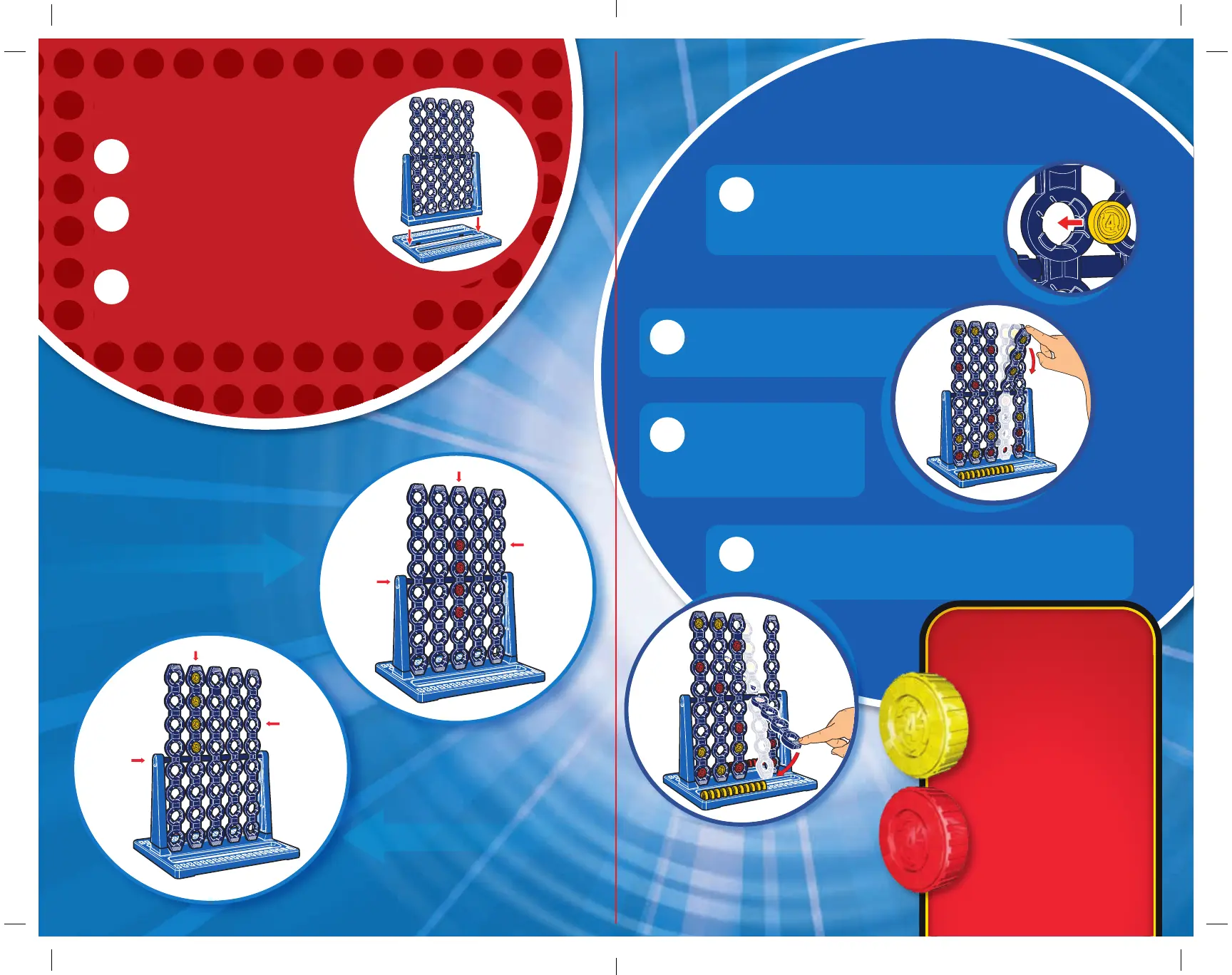
Insert the game unit into
the base.
Separate the red and yellow
discs and choose which colour
you’ll play with.
Decide which Connect 4 Spin
challenge you’re up for: Beginner or
Expert (see CHOOSE YOUR CHALLENGE).
GET SPINNING
ON YOUR TURN
GET READY
Place a disc anywhere in the grid.
Hold the column from the back
with one hand as you push the
disc in with the other.
If the column doesn’t stop in a vertical position aer
you spin it, push down the end closest to the base
until it snaps into place.
The column should
complete at least two
full rotations. If it doesn’t,
re-spin it!
Once you’ve placed your disc,
use the tab at the end of that
column to spin it!
WEIGHTED DISCS:
• Each colour set
of discs contains
one disc with
extra weight.
• You can use the
weighted disc at
any time.
• Place your discs
strategically!
Bear in mind
how the combined
weight of your
discs will aect
where the column
ends up.
Expert
Beginner
ROW
ROW
COLUMN
COLUMN
1
1
2
3
2
3
4
AXIS
AXIS



 To Previous Page