EasyManua.ls Logo

Hasselblad 2000FC - Lens Handling and Diaphragm Cocking

Hasselblad 2000FC
14 pages
Print Icon
To Next Page IconTo Next Page
To Previous Page IconTo Previous Page
Loading...
Fig.
10
Fig.
11
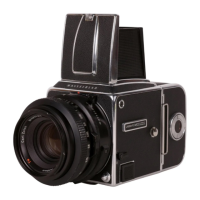
The
C lenses
have
diaphragm
which auto-
matically
stop
down
to the
preselected
f/stop
when
the
camera
is
triggered. They
also have
built-in
Synchro-Compur
leaf
shutters fully
synchronized
at all shutter
speeds
(f-1l500
s).
The
shutter is
cocked
and the
diaphragm
reopens
to its
maximum
aperture
during
the
film
advance
sequence.
CHANGING
LENSES
F lenses
Lens
removal
(Fig.
lO)
Make
sure
the
shutter is cocked
(white
signal in
the
shutter
cocking indicator
window
9).
Hold
the lens
by the fixed
grip
ring
(35)
but
never
press
on the
button
f
or
cross-cou-
plins
of shutter
and diaphragm
(20)
during
lens
removal
because
this
could ceuse
damage
to
the cross-coupling
mechanism.
Press
the lens
lock
release
button
(37\
with
your
left
index
finger.
Then remove
the lens
by turning
it
counter-clockwise
one-fifth
of
a revolution
using
gentle
pressure
only.
Note:
If the
lens refuses
to
budge, the
camera
is
in
the
pre-release
mode.
Restore
it
to the
normal
mode
by depressing
the
slotted
mirror
program
disc
(13)
and
rotating
the film
advance
crank
(2)
a
full
turn.
Lens
attachment
(Fig.
11)
Make
sure the
shutter
is
cocked
and not
in
the
pre-release
mode
(see
p.
21).
Other-
wise
the lens
mechanisur
could
be
dam-
Fig. 12

Related product manuals