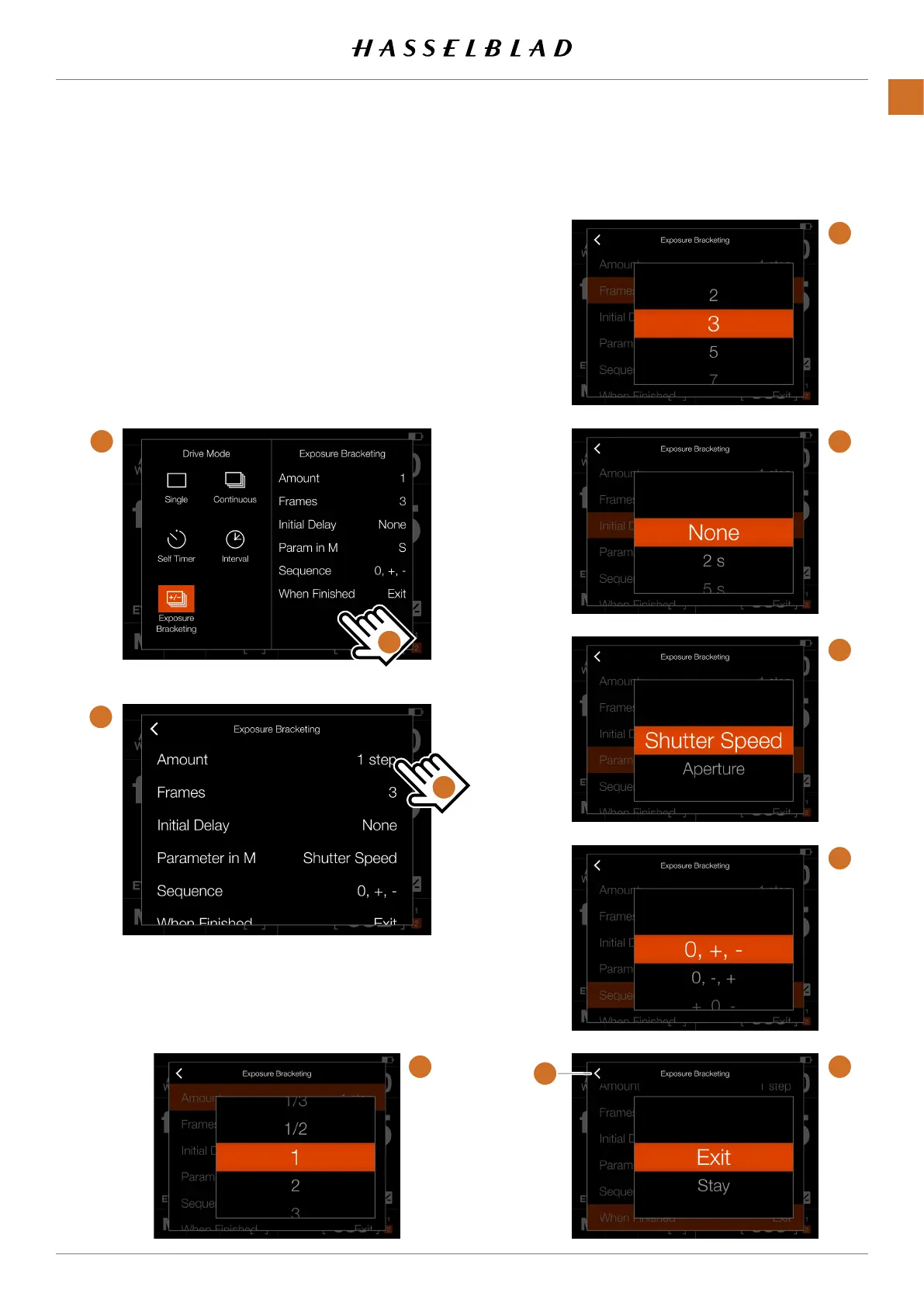
EXPOSURE BRACKETING SETTINGS
On the Control Screen tap the Drive Mode icon which brings
up the settings screen
(A)
. To change settings, tap the right
panel
(C)
to show the Settings Menu
(B)
.
To change any of the settings, tap the value to bring up any of
the screens
(E)
to
(J)
.
When the settings is made, tap the left arrow
(K)
to return to
the Drive Mode settings screen.
C
K
D
A
B
F
G
H
I
J E
X1D II 50C USER GUIDE www.hasselblad.com
58
FUNCTIONS
Contents



 To Next Page
 Loading...






