Intelligent drive setting interface
After starting the vehicle, use the multimedia screen to navigate to the 【Vehicle Setting 】→
【Intelligent driving】on the multimedia display screen to turn on or off the functions.
⚠ Warning
The Intelligent drive assist system is only an auxiliary tool. It cannot use as a substitute for the
driver’s judgment of road and traffic conditions, nor it can replace the driver’s driving. In any case,
the driver shall be responsible for the safety of the vehicle and must concentrate on driving carefully
at all times.
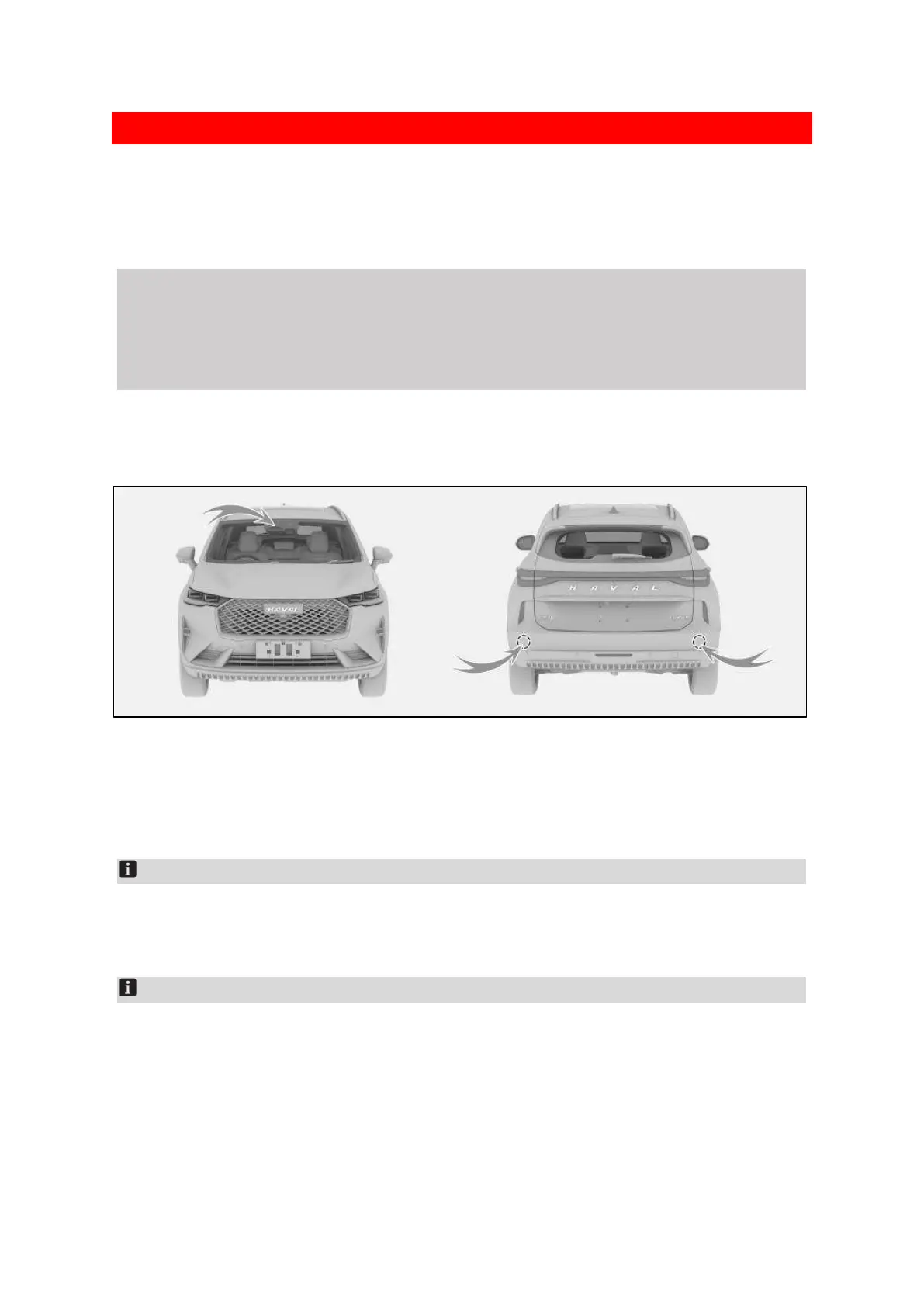
Sensor
The intelligent driving assistance system identifies lane markers and detects targets using the
following components.
00CDF9E79339
Camera.
The camera is located at the top of the front windscreen.
Sensor.
Sensors are located on both sides of the rear bumper.
Notice
When the instruments display a warning that sensor detection is limited, check to make sure the camera
and sensors and their surroundings are clean and free of obstructions to ensure the system functions
normally.
Notice
1. The communication device conforms to the standard and requirements of NBTC
2. The electromagnetism field intensity of communication device is consistent with The Safety
Standard for Human Body to Use Radiocommunication Equipment, published by National
Telecommunications Commission (NTC)


 To Next Page
 Loading...
