Traffic sign information
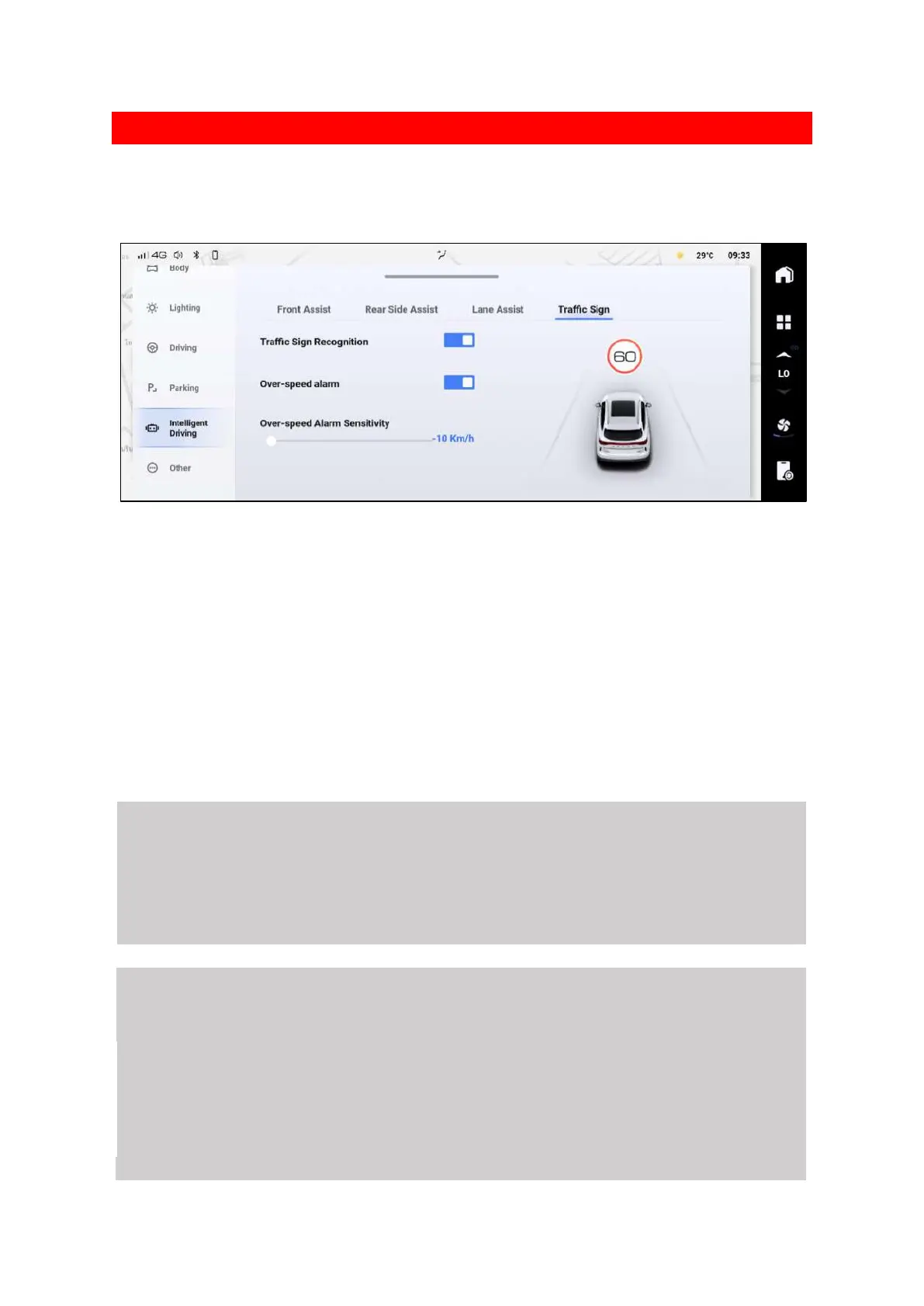
The traffic sign information function identifies the traffic signs using the camera on the front
windscreen and displays them on the instrument panel to assist the driver.
6303F43D4AFE
Traffic Sign Recognition
Traffic signs are identified by a camera on the front windscreen and displayed on the instrument
panel to remind the driver.
Over speed alarm
After recognizing a speed limit sign, if the vehicle exceeds the speed limit the system will emit an
alert to remind the driver to reduce speed to within an appropriate range as soon as possible.
Over-speed Alarm Sensitivity
You can set when the sensitivity of the alert based on your own driving style.
When set to 0: When the vehicle speed reaches the speed limit, the alert sounds.
When greater than 0: The alert only sounds once the vehicle exceeds the speed limit.
When less than 0: The alert sounds in advance of the vehicle reaching the speed limit.
⚠ Warning
The traffic sign information function is only for warning drivers to pay attention to traffic signs, and
is not suitable for all situations. It cannot replace the driver's judgment of the speed limit information on
roads.
The driver is responsible for vehicle safety under all circumstances and must always drive with
caution and observe applicable laws and road traffic rules.
⚠ Caution
The traffic sign information function works only in conditions where the speed limit signs are clearly
visible. In certain circumstances it may not work properly or may not be effective. For example ,
If a sign is faded.
If a sign is on a curve.
If a sign is not angled correctly.
If a sign is flapping or damaged.
If a sign is completely or partly obscured.
If a sign is completely or partly covered by frost, snow or dust etc.


 To Next Page
 Loading...
