Vehicle equipment
Please note that this manual contains all the standard equipment, country-specific equipment and
special equipment for this model series. Thus, some equipment or features described in this manual
may not be installed onto your vehicle or are only available in some markets. For further
configuration information, please refer to relevant sales information or consult with your distributor
selling the vehicle to you.
About the system
The head up display (HUD) can project relevant information to an effective visual area within the
driver's field of view. By using this system, the driver can check the vehicle information during
normal driving without lowering head, thereby avoiding distracting the driver’s attention from the
road ahead and preventing the eye fatigue when the driver switches the angle of view while
observing the road ahead and the nearby instrument panel.
Notice
Under certain weather conditions (such as rain, snow, strong sunlight, etc.), the information
displayed on HUD may be unclear or disturbed.
Certain sunglasses can affect information reading.
How to use
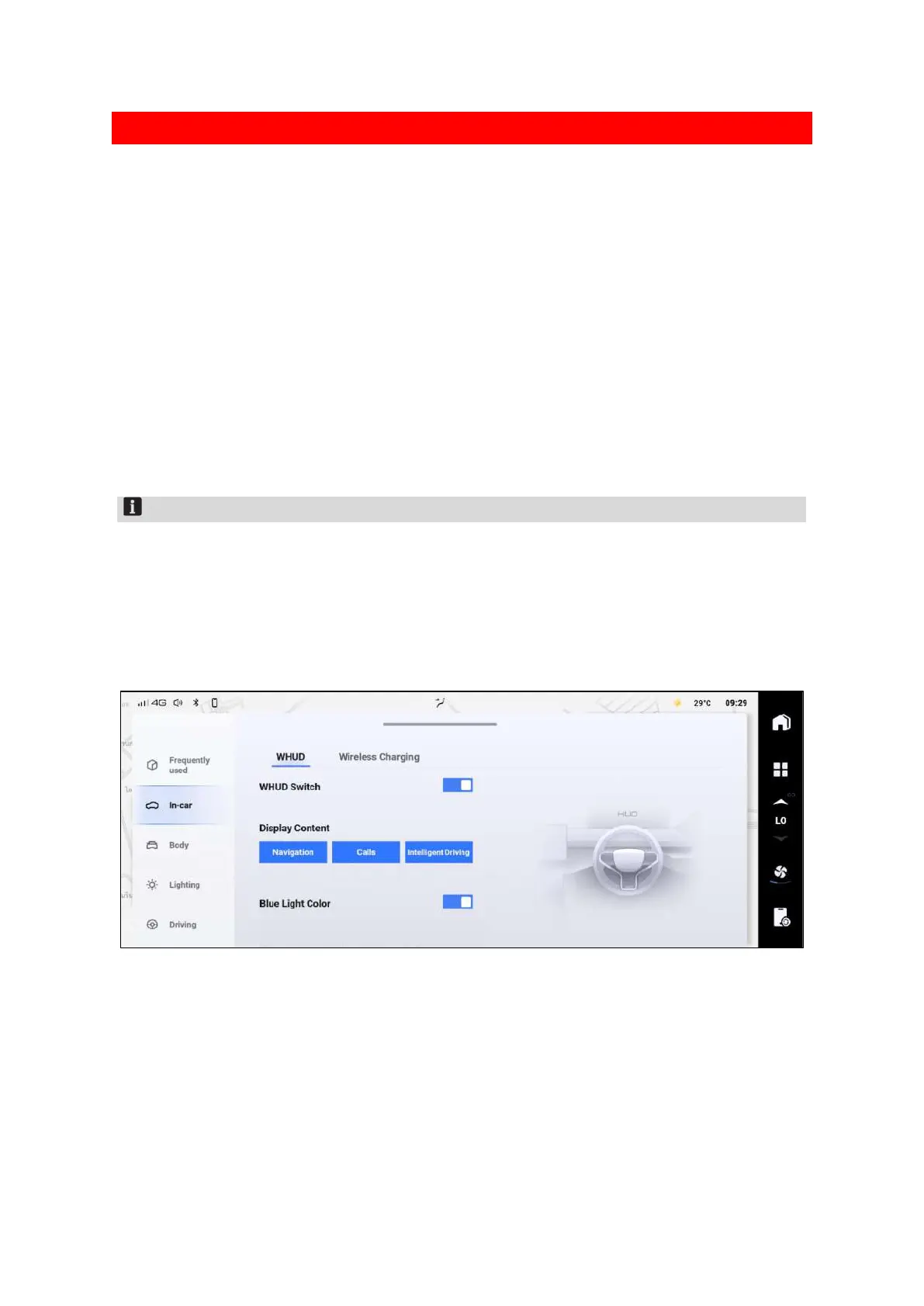
After the vehicle is started, the head up display (HUD) can be turned on or off via the multimedia
display screen.
39CB514C4CE0
After the HUD is turned on, you can configure the following settings:
Set the display content of HUD projection interface.
Turn on or off the HUD blue displayed.
Adjust the HUD's displayed height, angle, or brightness through the steering wheel.


 To Next Page
 Loading...
