Instrument control
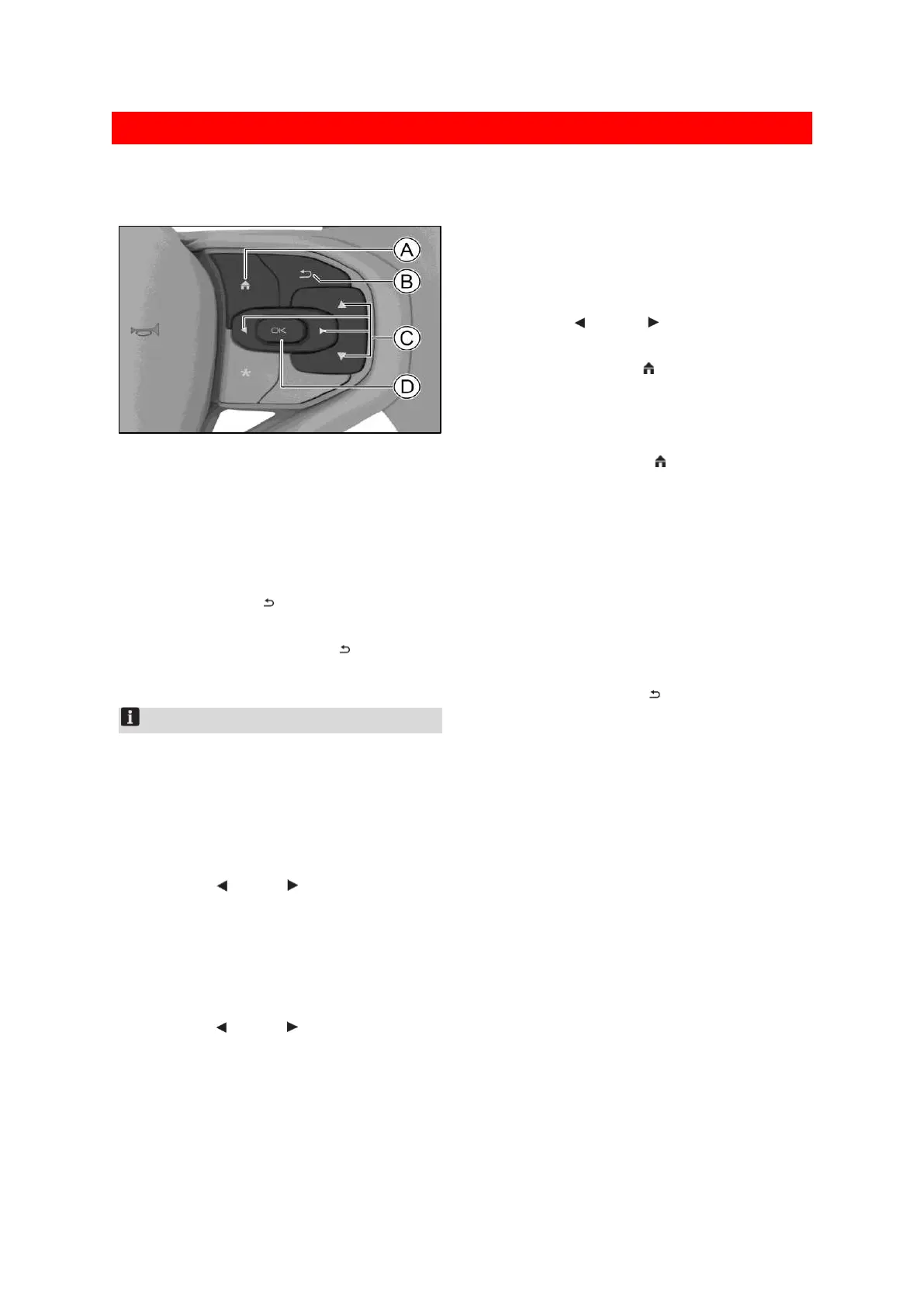
Steering wheel button
25B23C4B098E
Ⓐ Home button
Ⓑ Back button
Ⓒ Switch button
Ⓓ OK button
Shield alarm messages
Press back button to shield the alarm
messages currently shown.
Press and hold the back button to shield all
alarm messages.
Notice
When alarm message exists on the instrument
interface, it should be shielded first.
Otherwise, other control functions of the
instrument cannot be used.
View audio media information
Press the left or right button until the trip
computer switches to the audio media
interface. In this case, you can view the music
or radio information that is currently playing.
View BT phone information
Press the left or right button until the trip
computer switches to the BT phone interface.
In the BT phone interface, the following
operations can be achieved.
Press the up or down button to view the
call record entry of BT phones item by item.
Press the OK button to make a call to the
currently selected call record entry.
Driving data interface
Press the left or right button until the trip
computer switches to the driving data interface.
Press the home button to directly return to
the driving data interface. In the driving data
interface, the following operations can be
achieved.
Press the home button to directly return to
the home page of the driving data interface.
Press the up switch or down switch
button to check the driving data message
page by page.
Press and hold the OK button to bring up the
secondary menu interface. In the secondary
menu interface, you can view the alarm
message, set the alarm speed and reset the
travel information.
Press back button to return to the
previous-level interface.


 To Next Page
 Loading...
