Vehicle equipment
Please note that this manual contains all the standard equipment, country-specific equipment and
special equipment for this model series. Thus, some equipment or features described in this manual
may not be installed onto your vehicle or are only available in some markets. For further
configuration information, please refer to relevant sales information or consult with your distributor
selling the vehicle to you.
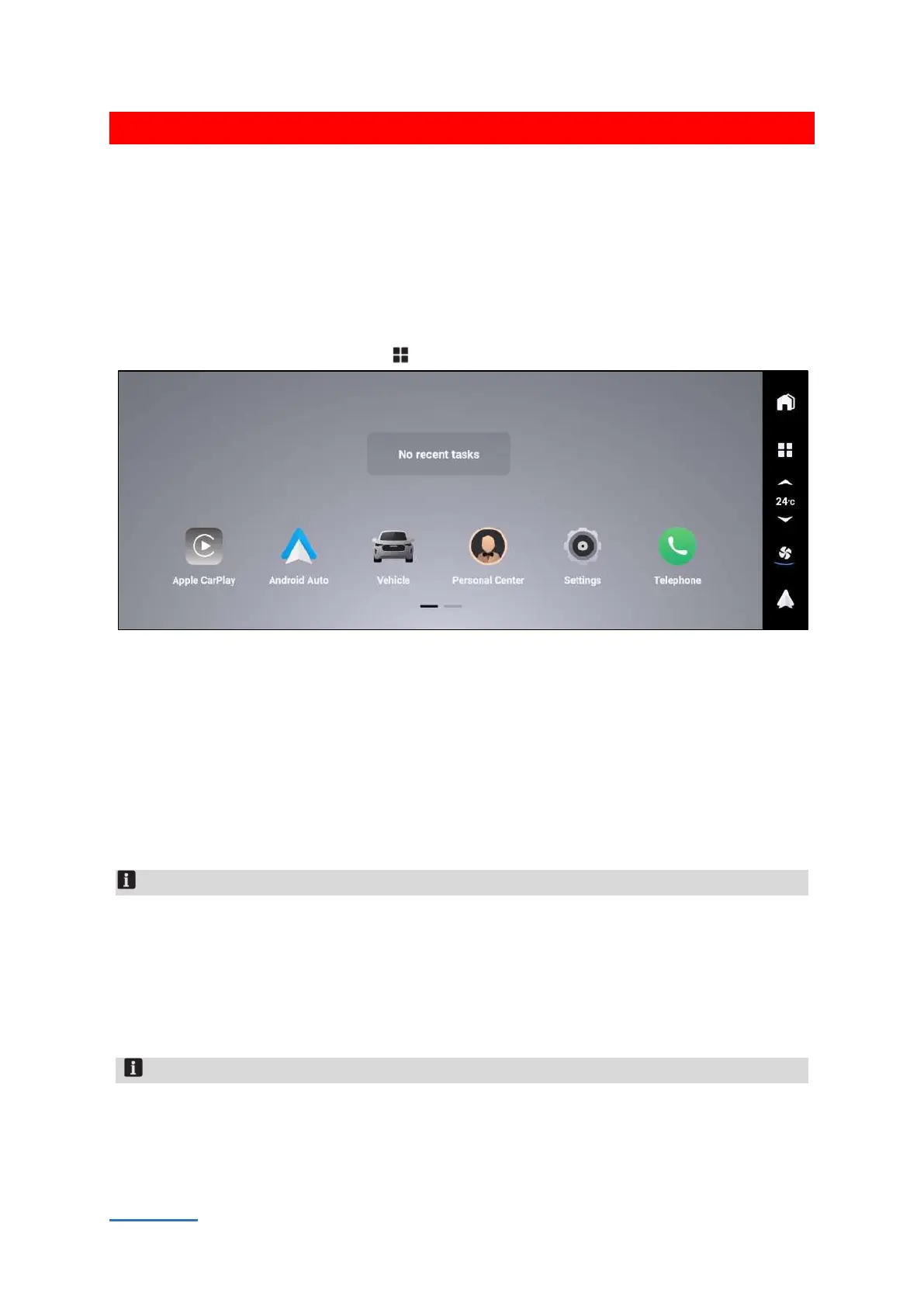
Menu interface
In most interfaces, tap the menu button , then the menu application interface will appear.
ED65DE1D34D4
The small windows of recently used applications are displayed on the top. Touch the small
application windows to quickly switch to the application interface.
The application icons are displayed at the bottom. Touch the application icons to switch to application
interface.
Telephone
Touch【Telephone】button to switch to telephone interface. If you want to connect Bluetooth of
other devices, please turn to [Settings] → [Bluetooth] interface to turn on and pair with Bluetooth.
After pairing with other Bluetooth, functions such as dialing, answering calls, view contacts, call logs,
text messages can be realized.
Notice
When pairing and connecting, please allow access to contacts, call records, messages and other
permissions on the mobile phone Otherwise, this function cannot be used.
Message function is certain phones not supported by due to permission restrictions version
systems.
After the connection is successful, the third-party social APP in the mobile phone can realize the
voice call function through this system. But due to system compatibility issues, some phones do
not support this function.
Notice
1. The communication device conforms to the standard and requirements of NBTC
2. The electromagnetism field intensity of communication device is consistent with The Safety
Standard for Human Body to Use Radiocommunication Equipment, published by National
Telecommunications Commission (NTC)


 To Next Page
 Loading...
