System settings
In the menu interface, touch 【Settings】 button to switch to the setting interface.
Bluetooth
B786058797CA
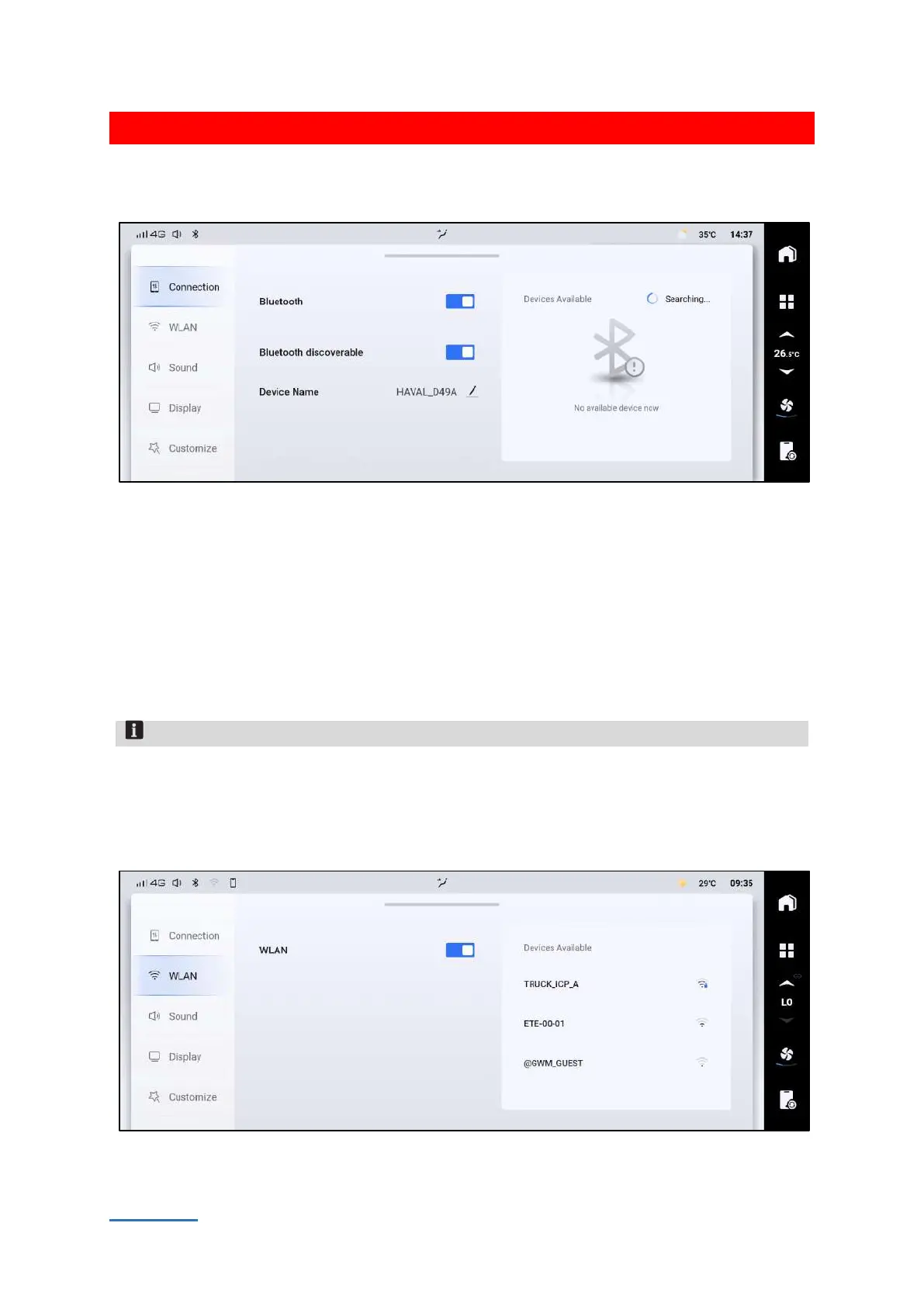
[Bluetooth] : Tap the Bluetooth of this system switch can be touched to turn on or off the Bluetooth.
[Bluetooth discoverable] : When this switch is turned on, other devices are allowed to detect the
Bluetooth of this system and perform pairing connection.
[Device Name] : It displays the name of the Bluetooth device, which can be modified to a custom
name.
[Pairing history] : It shows the current Bluetooth device, which can be connected or deleted.
[Devices Available] : It shows all the Bluetooth device which can be searched. You can search for
Bluetooth devices. Touch the name of the searched Bluetooth device to initiate a matching
request. Touch the [Search] button to search for Bluetooth devices again.
Notice
1. The communication device conforms to the standard and requirements of NBTC
2. The electromagnetism field intensity of communication device is consistent with The Safety
Standard for Human Body to Use Radiocommunication Equipment, published by National
Telecommunications Commission (NTC)
WLAN
FD2CE98F1D9B


 To Next Page
 Loading...
