Vehicle equipment
Please note that this manual contains all
the standard equipment, country-specific
equipment and special equipment for this
model series. Thus, some equipment or
features described in this manual may not
be installed onto your vehicle or are only
available in som e mar kets. For fur ther
configuration information, please refer to
relevant sales information or consult with your
di stri butor sel li n g the veh ic le to you .
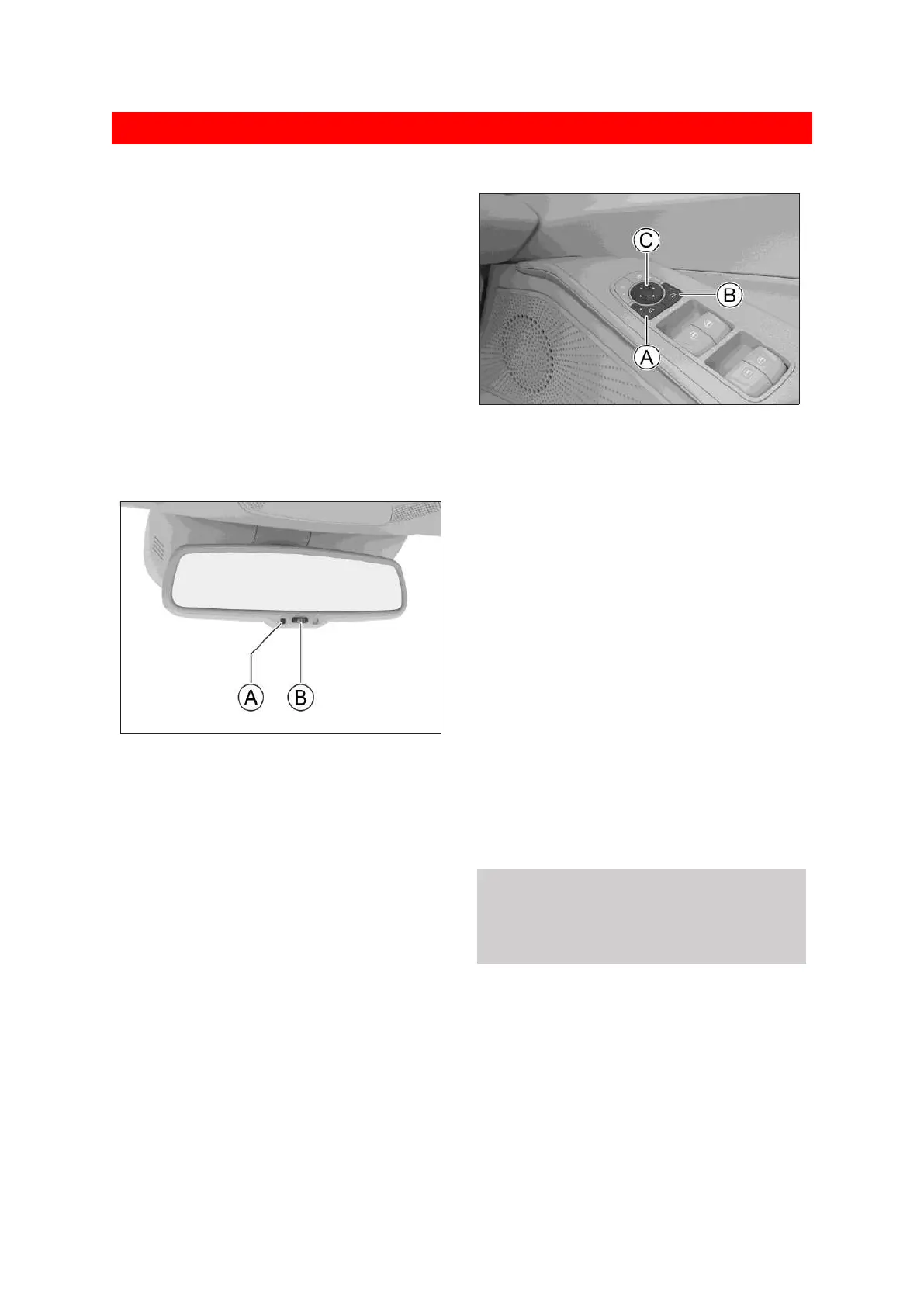
Automatic anti-glare inside rearview
mirror
0CD5669561F6
Ⓐ Indicator
Ⓑ Switch
Turn the power switch to ON mode and then
automatic anti-glare function is defaulted to be
in ON status. Press the switch, and you can turn
on or turn off the automatic anti-glare function.
If the indicator is on, it means that the
automatic anti-glare function is on and the
inside rearview mirror will automatically
reduce the reflection according to the light
intensity of the headlamp of the vehicle
behind.
Outside rearview mirror adjustment
6D1FFA8D70DA
Ⓐ Select the left side mirror
Ⓑ Select the right side mirror
Ⓒ Mirror adjustment button
Mirror adjustment
1. Press the outside rearview mirror selection
button to select the left (L) or right (R) outside
rearview mirror. If the button indicator lights
up, it indicates that the mirror has entered
the selected state.
2. Press the front, rear, left and right positions
of mirror adjustment button to adjust the
angle of the left or right outside rearview
mirrors.
3. After the adjustment, press the outside
rearview mirror selection button again, the
button indicator will go out and the mirror
exits the selected state.
⚠ Warning
Do not adjust the rearview mirror while driving.
Doing so may result in your losing control, and
could result in an accident or serious injury.


 To Next Page
 Loading...
