Vehicle equipment
Please note that this manual contains all the standard equipment, country-specific equipment and
special equipment for this model series. Thus, some equipment or features described in this manual
may not be installed onto your vehicle or are only available in some markets. For further
configuration information, please refer to relevant sales information or consult with your distributor
selling the vehicle to you.
How to use
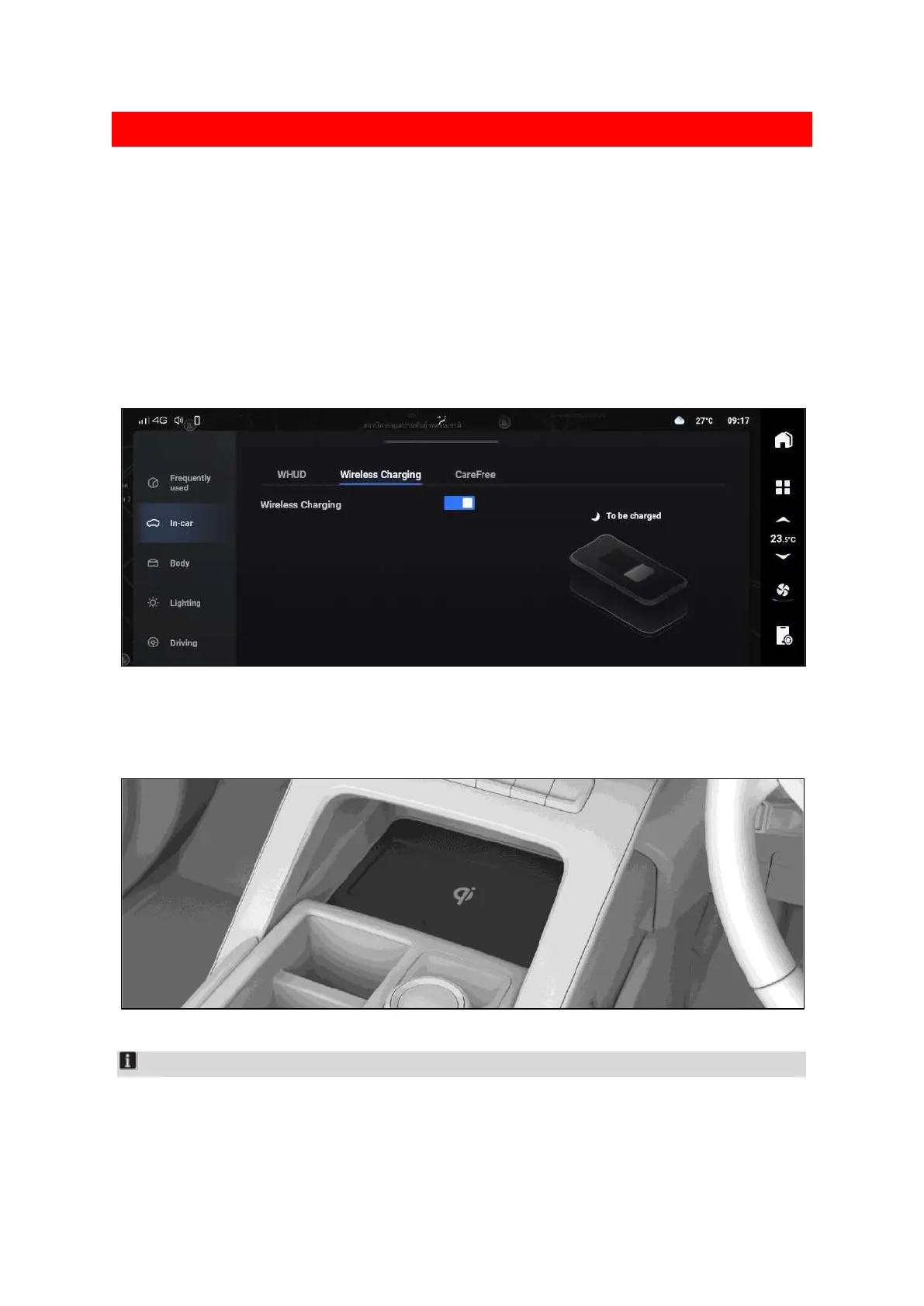
The wireless charging function can be enabled or disabled through the interface on multimedia
display screen.
03B5404BC658
After switching on the mobile phone wireless charging function, ensure that vehicle doors are closed,
the main vehicle power switch is switched to ON mode or the vehicle is started, then a mobile phone
placed in the charging area can be charged.
11C64C15CC2C
Notice
In order to achieve a better charging effect, it is necessary to ensure that the charging coil of the
mobile phone is facing downwards.



 To Next Page