EasyManua.ls Logo

Havit TW915 - User Manual

Havit TW915
11 pages
Print Icon
To Next Page IconTo Next Page
Loading...
材质:128g双铜纸过哑胶双面印刷 风琴折
印刷色号 C:0 M:0 Y:0 K:70
尺寸: 55 X 77 mm
1 2 3 4
5 6 7 8 9 10
Thanks for choosing havit
78.00 mm
User's manual
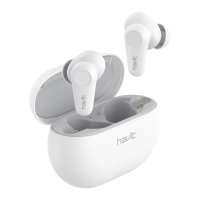
True wireless
stereo earbuds TW915
1.MFB (Touch panel)
2.Indicator light
3.MIC
4.Power LED indicator
5.Charging port
Basic function
01 Power on,Bluetooth connection
---Follow the steps(Please confirm that your
phone is built-in Bluetooth function)
1. Power on
a)Method 1: Remove earbuds from the charging
case.
b)Method 2: If earbuds are power off outside the
case, touch and hold MFB button for 3 seconds
on both sides to turn them on.
Turn on both earbuds,the earbuds indicators
flash white twice and then flash white and orange
alternately .When the right earbud indicator turn
white for 2 seconds, the product is ready for use.
2. Turn on Bluetooth on your device and select
“HAVIT TW915 referring to your phone
instructions. If the right earbud indicator turns
white for 1 second, the connection is successful.
3. Pairing mode can just last 180 seconds. if you
miss the pairing time, you need to restart the
device and operate follow the procedural steps
mentioned above.
*Note:
a). HAVIT TW915 remembers previously
connected devices. When turned on, earbuds
attempts to reconnect to previously connected
devices.
b). HAVIT TW915 will lose the connection when
deviate the working range of Bluetooth. The
earbuds will reconnect automatically if you come
back to the range in 3 minutes.
02 Power off
Method 1: Put the earbuds into the charging case,
they will automatically shut off.
Method 2: Touch and hold MFB for 7 seconds, the
orange light flashes three times, and the earbuds
are turned off.
03 Answering incoming calls
1.Short press left or right MFB to answer
incoming calls.
2.One phone is answering a call,while another
has a call retained:
A.Short press left/right MFB once to keep the
current phone call and answer incoming calls;
B.Long press left/right MFB for 2 seconds to
refuse the incoming call;
C.In the three-way call, long press left or right
MFB to realize two mobile phone calls switch
over.
D. Long press left/right MFB for 2 seconds, hang
up the current call and connect the maintained
call.
04 End the call
Touch and hold the left or right MFB for 2
seconds to end the current call.
05 Decline incoming calls
Touch and hold the left or right MFB for 2
seconds to reject a call.
06 Call switch mode:
When calling, double tap the left or right MFB to
switch audio output between cellphone and
earbuds.
07 One key for voice assistant
Double tap the left or right MFB to activate voice
assistant.
08 Music playing
Play/Pause: tap the left or right MFB once;
09 ANC function
Touch and hold the left or right MFB for 2
seconds each time, the function will switch as
follows with voice prompts.
1.When the prompt sound "Noise cancelling on"
is heard, the ANC function is turned on.
2.When the prompt sound "dingdong" is heard,
the ANC function is turned off and the Minitor
function is turned on.
3.When the prompt sound "Noise Cancelling off"
is heard , the Minitor function is turned off.
10 Mono mode (take out any earbuds as a
unilateral bluetooth earbud)
(note: single channel mode only needs to remove
one of earbuds from the charging case; If two
eabuds are removed before connection, the
earbud will be used in TWS mode by default, and
the TWS connection will be automatically
realized. )
1.Take out an earbud from charging case,the
earbud automatically turn on and reconnect to
previously connected devices.
2.Switch from one earbud to the other when
playing music, taking out the other earbud from
the charging case and these two earbuds will
connected automatically. Both earbuds will play
music automatically and then put the earbud
which do not need anymore into the charging
case and the switching process completes.
(note:Call mode is applicable)
3.Please refer to the TWS mode for more
functions.
11 Restore factory settings
If the earbuds cannot pair or disconnect
frequently, please restore the factory settings.
Place the earbuds in the charging case, leave the
lid of the charging case open, then touch and
hold the left and right MBF for 5 seconds.When
the earbuds Indicators turn orange for 3 seconds
,the reset is completed.
12 Charging
-Case
Charge the case using the Type-C cable
connected to a computer or wall charger. The
indicator at the front of the charging case flashes
white when charging and turns white when fully
charged. Charging time is approximately 2 hours.
-Earbuds
1.Low battery will be warned by voice prompt.(
prompt three times)
2.Put the earbuds back into the charging case for
charging. While charging, the indicators flash
white. Once full charge, the white lights turn off.
The number of lights indicates the charging case
battery status when the earbuds are placed in the
case.
Specification
IPX4 waterproof
BluetoothVersion:V5.0
Chargingcasedimension:68*48*28mm
Earbuddimensions:23*21*29mm*2
Netweight:4.2g*2(Earbuds)/42g(Chargingcase)
Wirelessworkingrange:10M(withoutobstacles)
Speaker:Φ10mm*2
Speakerfrequency:20Hz~20KHz
Inputvoltage/current:DC5V/1A
EarbudBattery:40mAh*2(Fullychargedin1.5H)
Chargingcasebattery:400mAh
Playtime:4.5H
Talktime:4H
Chargingtime:about2H(Chargingcase)
Warnings
1. Please follow the instruction to operate.
2. Please charge the earbuds with input power
below 5V/1A, in order to protect the battery.
3. Please store or use the earbuds in a normal
temperature environment.
4. Please do not use this product near the water.
Do not immerse this product in any liquid or
splash any liquid on this product.
5. Please keep the earbuds from heat source,
such as radiators, hot air regulators, stoves, or
other heat generating instruments. As it is not
anti high temperature.
6. Don't jam the ports of the earbuds, such as
charger port, LED port and microphone etc..
7. In order to protect your hearing and extend the
speaker service life, it is not recommended to
adjust the volume to the maximum level for a
long time.
8. Whatever reasons damage the earbuds, please
feel free to contact our after-sales staff in time
rather than repair by yourself. Otherwise, you will
accept without after-sales service.

Question and Answer IconNeed help?

Do you have a question about the Havit TW915 and is the answer not in the manual?

Summary

Product and Accessories Overview

Product Structure and Wearing Method

Product Structure Description

Diagram illustrating the components of the earbuds and charging case.

Wearing Method Instructions

Guidance on how to properly insert and wear the earbuds for optimal fit and comfort.

Basic Functions: Power and Connectivity

Power On and Bluetooth Connection

Steps to power on the earbuds and connect via Bluetooth to a device.

Basic Functions: Call Management

Power Off Procedures

Methods to turn off the earbuds, either automatically or manually.

Answering Incoming Calls

How to answer, hold, refuse, and switch calls.

Basic Functions: Call and Voice Control

Ending and Declining Calls

Instructions for ending an ongoing call and rejecting an incoming call.

Call Switch and Voice Assistant

Switching audio output during calls and activating the voice assistant.

Basic Functions: Audio Modes

Music Playback Control

Controls for playing and pausing music.

ANC and Mono Mode Operation

Using Active Noise Cancelling and operating in single earbud (Mono) mode.

Basic Functions: Troubleshooting

Restore Factory Settings

Procedure to reset the earbuds to their original factory settings.

Charging and Specifications

Charging Instructions

Guidance on charging the charging case and the earbuds.

Product Specifications

Technical details including Bluetooth version, dimensions, weight, and battery life.

Warnings and Safety Precautions

General Safety Warnings

Important safety instructions and precautions for using the earbuds.

Overview

This document is a user manual for the Havit TW915 True Wireless Stereo Earbuds. It provides detailed instructions on how to use, maintain, and troubleshoot the earbuds, along with a description of their components and accessories.

Function Description

The Havit TW915 are true wireless stereo earbuds designed for audio playback and hands-free calling. They connect wirelessly to devices via Bluetooth, offering a seamless audio experience without the hassle of cables. The earbuds come with a charging case that not only stores them but also recharges them on the go.

Usage Features

Power On and Bluetooth Connection:

The earbuds can be powered on in two ways:

  • Method 1: Simply remove the earbuds from the charging case. They will automatically turn on.
  • Method 2: If the earbuds are powered off outside the case, touch and hold the Multi-Function Button (MFB) on both earbuds for 3 seconds to turn them on.

Once powered on, the earbuds' indicators will flash white twice, then alternately flash white and orange, indicating they are in pairing mode. The right earbud's indicator will turn white for 2 seconds when ready for use.

To connect to a device:

  • Turn on Bluetooth on your device (e.g., smartphone).
  • Select "HAVIT TW915" from the list of available Bluetooth devices.
  • A successful connection is indicated by the right earbud's indicator turning white for 1 second.

Important Notes on Pairing:

  • The pairing mode lasts for 180 seconds. If you miss this window, you will need to restart the device and repeat the pairing steps.
  • The HAVIT TW915 earbuds remember previously connected devices and will attempt to reconnect automatically when powered on.
  • If the earbuds deviate from the Bluetooth working range, they will lose connection but will automatically reconnect if brought back within range within 3 minutes.

Power Off:

There are two methods to power off the earbuds:

  • Method 1: Place the earbuds back into the charging case. They will automatically shut off.
  • Method 2: Touch and hold the MFB for 7 seconds. The orange light will flash three times, and the earbuds will turn off.

Answering Incoming Calls:

  • Basic Answer: Short press either the left or right MFB to answer an incoming call.
  • Handling Multiple Calls: If one call is active and another is incoming:
    • Keep current, answer new: Short press either the left or right MFB once to keep the current call and answer the incoming call.
    • Refuse incoming: Long press either the left or right MFB for 2 seconds to refuse the incoming call.
    • Switch between calls (three-way call): In a three-way call scenario, long press either the left or right MFB to switch between the two mobile phone calls.
    • End current, connect maintained: Long press either the left or right MFB for 2 seconds to hang up the current call and connect to the maintained call.

Ending a Call:

  • Touch and hold either the left or right MFB for 2 seconds to end the current call.

Declining Incoming Calls:

  • Touch and hold either the left or right MFB for 2 seconds to reject an incoming call.

Call Switch Mode:

  • During a call, double-tap either the left or right MFB to switch the audio output between your cellphone and the earbuds.

Voice Assistant Activation:

  • Double-tap either the left or right MFB to activate your device's voice assistant.

Music Playback:

  • Play/Pause: Tap either the left or right MFB once to play or pause music.

ANC Function (Active Noise Cancellation):

The earbuds feature an ANC function that can be toggled through different modes:

  • Touch and hold either the left or right MFB for 2 seconds to cycle through the modes. Voice prompts will guide you.
    • "Noise cancelling on": ANC function is activated.
    • "dingdong": ANC function is turned off, and the Monitor function is turned on (allowing ambient sounds to pass through).
    • "Noise Cancelling off": The Monitor function is turned off.

Mono Mode:

The earbuds can be used individually in mono mode:

  • To use a single earbud, simply remove one from the charging case. It will automatically turn on and reconnect to previously connected devices.
  • If both earbuds are removed before connection, they will default to TWS (True Wireless Stereo) mode, and the TWS connection will be automatically established.
  • You can switch from one earbud to the other while playing music by taking out the other earbud from the charging case. Both will connect automatically and play music. You can then put the unwanted earbud back into the charging case to complete the switch. This functionality also applies to call mode.

Wearing Method:

  • Gently insert the earbuds into your ear and then adjust them for appropriate comfort and a secure fit.

Charging:

  • Charging Case:
    • Connect the Type-C cable to the charging case and a computer or wall charger.
    • The indicator at the front of the charging case will flash white during charging and turn solid white when fully charged.
    • Charging time for the case is approximately 2 hours.
  • Earbuds:
    • Low battery in the earbuds will be indicated by a voice prompt (three times).
    • Place the earbuds back into the charging case to charge them.
    • During charging, the earbud indicators will flash white.
    • Once fully charged, the white lights on the earbuds will turn off.
    • The number of lights on the charging case indicates its battery status when the earbuds are placed inside.

Maintenance Features

Restore Factory Settings:

If you experience frequent pairing or disconnection issues, you can restore the earbuds to their factory settings:

  • Place both earbuds in the charging case.
  • Leave the lid of the charging case open.
  • Touch and hold both the left and right MFB for 5 seconds.
  • The earbuds' indicators will turn orange for 3 seconds, signaling that the reset is complete.

Warnings and General Care:

  • Always follow the instructions provided in the manual for proper operation.
  • Charge the earbuds with an input power below 5V/1A to protect the battery.
  • Store and use the earbuds in a normal temperature environment.
  • Avoid using the product near water; do not immerse it in any liquid or splash liquid on it.
  • Keep the earbuds away from heat sources such as radiators, hot air regulators, stoves, or other heat-generating instruments, as they are not designed for high-temperature resistance.
  • Do not obstruct the ports of the earbuds, including the charger port, LED port, and microphone.
  • To protect your hearing and extend the speaker's lifespan, it is not recommended to adjust the volume to the maximum level for extended periods.
  • If the earbuds are damaged for any reason, contact after-sales staff immediately instead of attempting repairs yourself. Self-repair will void after-sales service.

Havit TW915 Specifications

General IconGeneral
ConnectivityBluetooth
Wireless TechnologyBluetooth
Frequency Response20Hz-20kHz
MicrophoneYes
Impedance32Ω