Need help?
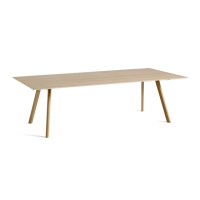
Do you have a question about the Hay CPH 30 and is the answer not in the manual?
Mount crossbar to tabletop, place brackets, fasten loosely with screws.
Slide the legs into position underneath the brackets.
Fasten the legs to the brackets using screws, tightening them loosely.
Fully tighten all screws and carefully turn the table over.
Adjust table feet for stability on uneven floors.
Mount crossbars to tabletop, place brackets, fasten loosely with screws.
Mount second set of crossbars and brackets, fasten loosely with screws.
Slide the legs into position underneath the brackets on the tabletop.
Fasten the legs to the brackets using screws, tightening them loosely.
Tighten all screws completely and carefully turn the table over.
Adjust table feet to ensure stability on uneven surfaces.
 General
| Brand | Hay |
|---|---|
| Model | CPH 30 |
| Category | Indoor Furnishing |
| Language | English |

 To Next Page