5
Instructions
Charging
To charge the watch, align and fit the charging contacts on the back of the watch with
the metal contacts of the charging head. Wait for the charging power indicator to appear
on the watch screen.
Precautions:
• Please use the charging cable provided in the package and ensure that the
charging contacts are dry before charging.
• Connect the charging cable to a standard USB charger purchased through regular
channels, and use a power adapter that has obtained CCC certification and meets
standard requirements.
• If the watch cannot power on after being left unused for a long time, when used
again, it needs to be pre-charged for about 1 minute to display the charging icon.
Download and Pairing
Haylou Fun App (referred to as the App) is essential for using the watch. Follow these
steps to download and pair your watch with the App:
• Press and hold the power button of the watch to turn it on.
• Scan the QR code displayed on the watch screen using your mobile phone to
download the App.
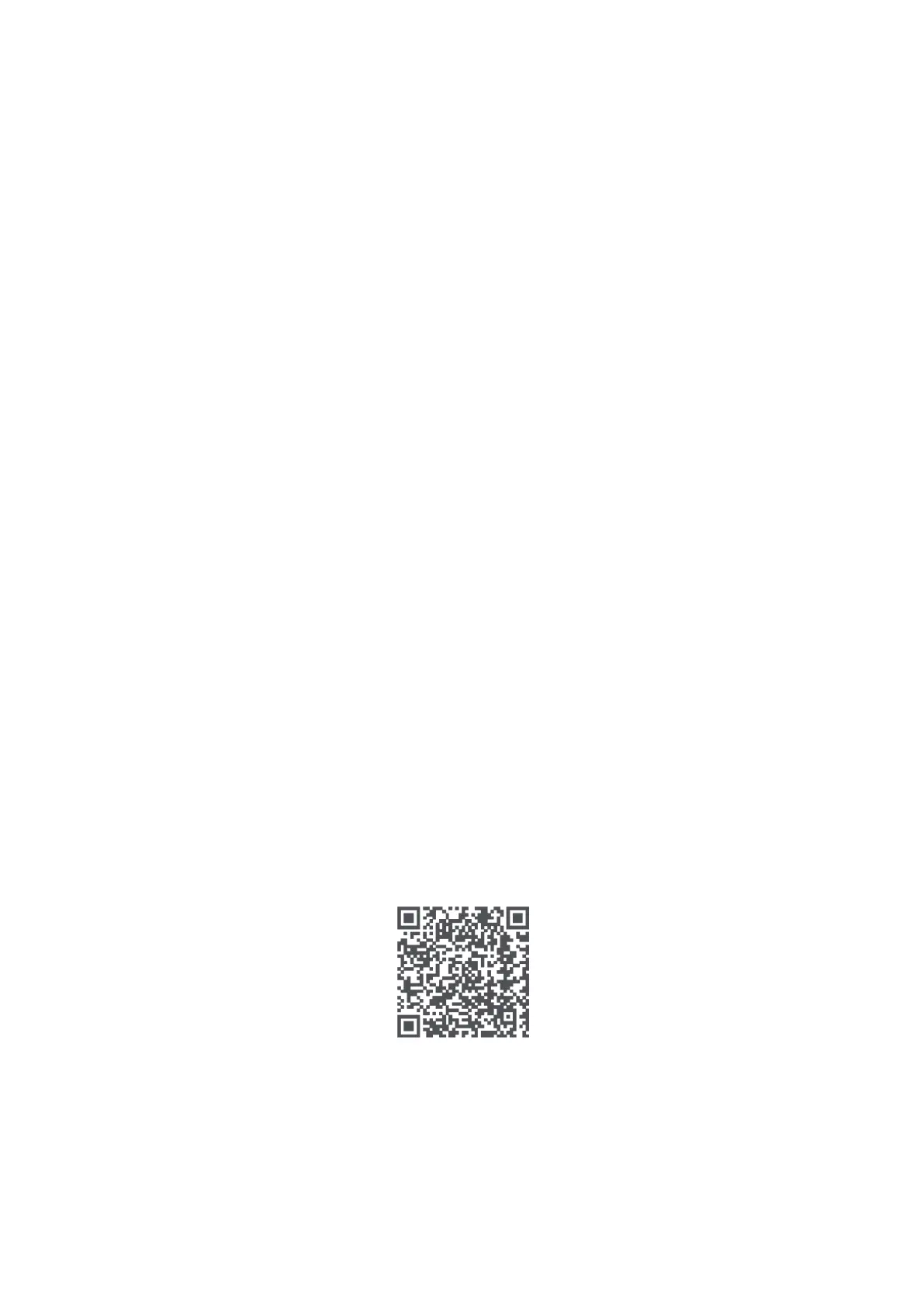
• Alternatively, you can scan the QR code provided below or download and install
the App from the app store. iPhone users can also search, download, and install
the App from the App Store.
• Once the App is installed, open it and tap on the "+" icon in the upper right
corner. Then, select "Scan" to scan the QR code on the watch screen for pairing.
Alternatively, choose "Add device" to search and pair the device from the device
list using the watch name. Ensure that the Bluetooth name displayed on the
phone matches the one on the watch during pairing.
• After successful pairing, you can start using the watch.
Wear
• For daily wear, position the watch about one finger's distance from the wrist
bone and adjust the strap tightness to a comfortable level.
• During exercise, it is recommended to tighten the watch strap, and loosen it
appropriately after exercise.



 To Next Page